Free Shipping on Domestic Orders $75+

Dell Inspiron 1100 CD Drive Replacement

Views: 896

View statistics:

Past 24 Hours:
3
Past 7 Days:
21
Past 30 Days:
86
All Time:
896
Comments: 0

No one has left comments on this guide. Will you be first?

Go to guide comments
Completed: 0

No one has marked this guide "completed." Will you be the first?

Favorites: 0

No one has favorited (and subscribed to) this guide. Will you be the first?

Time Required: 1 - 2 minutes
Difficulty: Easy
Dell Inspiron 1100 CD Drive Replacement

Introduction

Go to step 1 ↓

The CD Drive is used to read and write CDs. The CD Drive is delicate and can be easily broken which could lead to it needing replacement.

What you need

Tools

    1. Dell Inspiron 1100 CD Drive Replacement, CD Drive: step 1, image 1 of 2 Dell Inspiron 1100 CD Drive Replacement, CD Drive: step 1, image 2 of 2
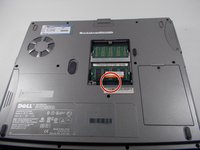
      • Unscrew the one 8mm Phillips #0 screw immediately below the RAM compartment and remove the panel.

      • This screw locks the CD Drive into place and must be completely removed before proceeding.

      Ask FixBot

      Add Comment

    2. Dell Inspiron 1100 CD Drive Replacement: step 2, image 1 of 3 Dell Inspiron 1100 CD Drive Replacement: step 2, image 2 of 3 Dell Inspiron 1100 CD Drive Replacement: step 2, image 3 of 3
      • Unscrew the one Phillips #0 screw at the bottom of the RAM compartment cover, and remove the RAM compartment cover.

      • The screw does not separate from the cover. Be careful when using force to remove the cover. Also be sure that the screw has been completely unscrewed.

      Ask FixBot

      Add Comment

    3. Dell Inspiron 1100 CD Drive Replacement: step 3, image 1 of 2 Dell Inspiron 1100 CD Drive Replacement: step 3, image 2 of 2
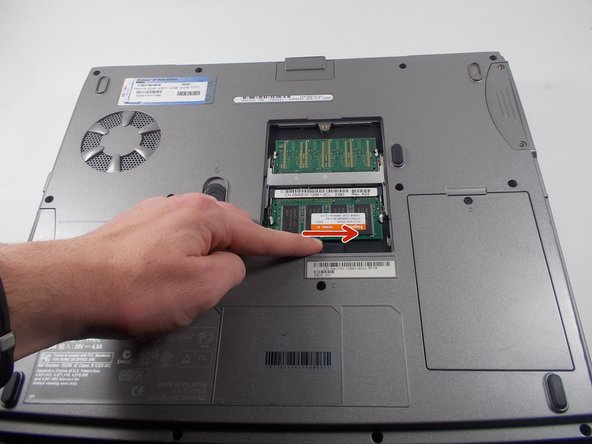
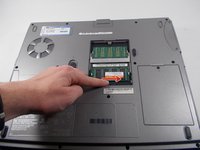
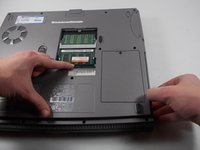
      • Push and hold the switch inside the RAM compartment to the right.

      • This will cause the CD Drive to be slightly pushed out of its slot.

      • If the switch cannot be moved, check to make sure you have completed the first step in this guide.

      Ask FixBot

      Add Comment

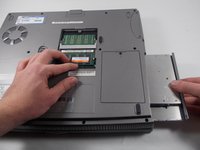
    4. Dell Inspiron 1100 CD Drive Replacement: step 4, image 1 of 2 Dell Inspiron 1100 CD Drive Replacement: step 4, image 2 of 2
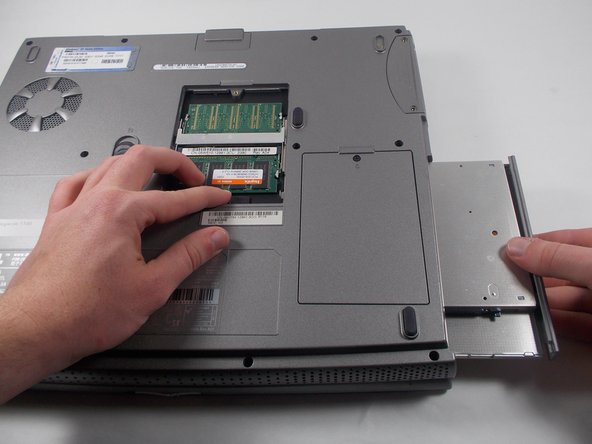
      • While holding down the switch in the RAM compartment, pull out the CD Drive.

      Ask FixBot

      Add Comment

Conclusion

To reassemble your device, follow these instructions in reverse order.

Cancel: I did not complete this guide.

Alexander Pacheco

Member since: 10/19/16

628 Reputation

5 Guides authored

Team

UMass Dartmouth, Team 3-3, Isaacson Fall 2016 Member of UMass Dartmouth, Team 3-3, Isaacson Fall 2016

UMASSD-ISAACSON-F16S3G3

3 Members

60 Guides authored

0 Guide Comments

Add Comment

View Statistics:

Past 24 Hours: 3

Past 7 Days: 21

Past 30 Days: 86

All Time: 896