Introduction
This guide will show you how to replace the battery of the Dell Inspiron 11-3168. Before starting, make sure both the laptop AC adapter and battery are disconnected prior to replacing any part or component.
What you need
-
-
-
Using a Phillips #00 screwdriver, remove all nine 7.5mm screws from the bottom case of the laptop.
 Ask FixBot
-
-
-
Remove the bottom case of the laptop by gently prying along the seam with a plastic opening tool.
-
-
-
-
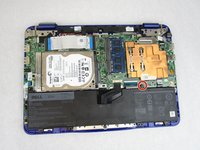
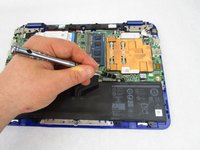
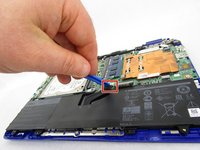
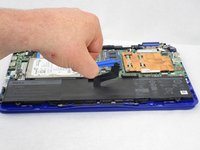
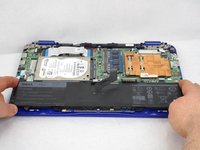
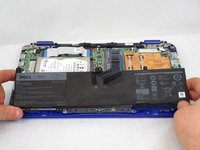
Disconnect the battery cable from its motherboard socket by gently pulling it towards the battery.
-
-






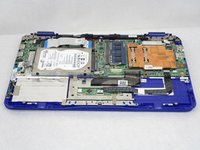
To reassemble your device, follow these instructions in reverse order.
For optimal performance, after completing this guide, calibrate your newly installed battery.
Take your e-waste to an R2 or e-Stewards certified recycler.
Repair didn’t go as planned? Try some basic troubleshooting, or ask our Answers community for help.
Cancel: I did not complete this guide.
4 other people completed this guide.

Team

South Arkansas Community College, Team S1-G2, Mitchell Spring 2019 Member of South Arkansas Community College, Team S1-G2, Mitchell Spring 2019
SACC-MITCHELL-S19S1G2
4 Members
60 Guides authored
2 Guide Comments
Well done with the instructions. AND I just noticed you attend - attended a school in El Dorado? I grew up in Pine Bluff. Your presentation was a big help to me.
Your are welcome Phillip. I am glad you found that repair guide to be helpful.
