Free Shipping on Domestic Orders $75+

Dell Inspiron 11-3164 Mousepad Replacement

What you need

    1. Dell Inspiron 11-3164 Mousepad Replacement, Mousepad: step 1, image 1 of 2 Dell Inspiron 11-3164 Mousepad Replacement, Mousepad: step 1, image 2 of 2
      • Place laptop upside down to observe the first set of screws on the bottom cover. With the J1 Phillips head screwdriver bit, unscrew eight (8) size 60 mm screws.

      • With a metal spudger, remove the plastic cover to unveil the final screw.

      • With the J1 Phillips head bit, remove remaining 60 mm screw.

      Ask FixBot

      Add Comment

    2. Dell Inspiron 11-3164 Mousepad Replacement: step 2, image 1 of 2 Dell Inspiron 11-3164 Mousepad Replacement: step 2, image 2 of 2
      Tool used on this step:
      Tweezers
      $4.99
      Buy
      • With a metal spudger, pry apart the bottom cover working around the edges.

      • While separating the halves of the bottom cover, carefully move the spudger up and down to avoid damaging the USB/Audio circuit board cable inside.

      • With tweezers, disconnect the USB/Audio circuit board cable.

      • Place the bottom cover off to the side.

      Ask FixBot

      Add Comment

    3. Dell Inspiron 11-3164 Mousepad Replacement: step 3, image 1 of 1
      • With the J1 screwdriver bit, unscrew three (3) size 40 mm battery screws.

      Ask FixBot

      Add Comment

    4. Dell Inspiron 11-3164 Mousepad Replacement: step 4, image 1 of 1
      • With tweezers, disconnect the battery cable.

      • Remove the battery pack.

      Ask FixBot

      Add Comment

    5. Dell Inspiron 11-3164 Mousepad Replacement: step 5, image 1 of 3 Dell Inspiron 11-3164 Mousepad Replacement: step 5, image 2 of 3 Dell Inspiron 11-3164 Mousepad Replacement: step 5, image 3 of 3
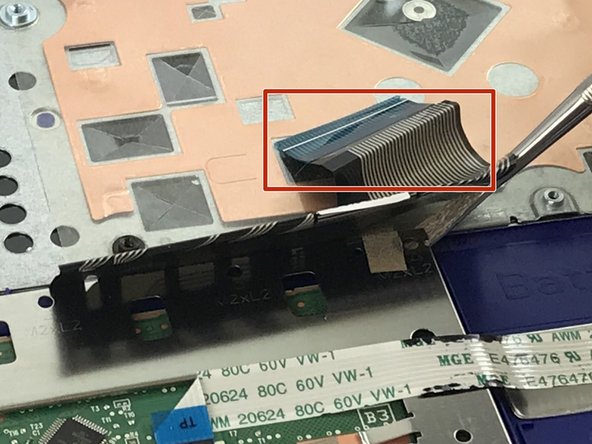
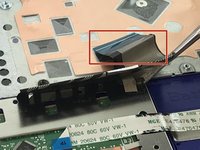
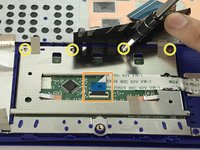
      • With tweezers, disconnect the keyboard cable

      • With tweezers, disconnect the touchpad cable.

      • With the Philips #00 Screwdriver, loosen the 4 - M2 x 2mm screws

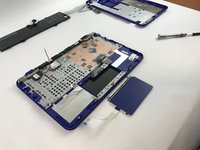
      • Gently remove the mouse touchpad.

      Ask FixBot

      Add Comment

Conclusion

To reassemble your device, follow these instructions in reverse order.

Cancel: I did not complete this guide.

One other person completed this guide.

Michael Kendziora

Member since: 02/14/18

781 Reputation

5 Guides authored

Team

USF Tampa, Team S6-G4, Eyestone Spring 2018 Member of USF Tampa, Team S6-G4, Eyestone Spring 2018

USFT-EYESTONE-S18S6G4

4 Members

72 Guides authored

0 Guide Comments

Add Comment

View Statistics:

Past 24 Hours: 1

Past 7 Days: 9

Past 30 Days: 25

All Time: 466