Introduction
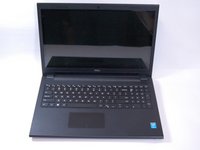
If your Dell Inspiron 3542 laptop has stopped working or needs to be upgraded with a new motherboard, this guide will help you do so. The motherboard is responsible for system stability and performance, and your laptop will load a lot faster. If the motherboard stops working, then the entire system will begin to fail, including fans, lights, and more.
Before beginning, it is highly recommended to power off the laptop and disconnect the power supply before starting. This can prevent short circuits and other damages.
What you need
-
-
-
Slide the latches on both sides of the laptop outward to unlock the battery.
-
Remove the battery from the computer.
 Ask FixBot
-
-
-
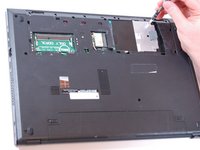
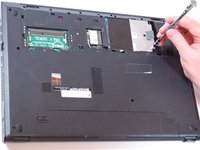
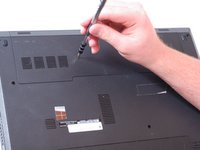
Remove the screw. (1 x M2 x 3mm)
-
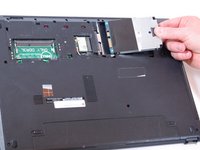
Move the hard drive to the open area and remove it.
-
-
-
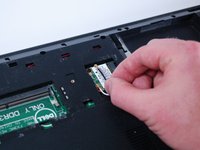
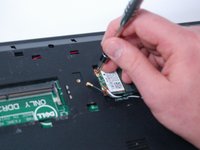
Unplug the black and white antenna cables from the wireless card.
-
Remove the screw. (1 x M2 x 3mm)
-
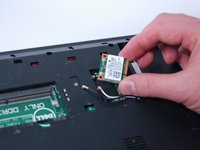
Remove the wireless card from the laptop.
-
-
-
Remove all screws from the bottom of the laptop. (10 x M2.5 x 5mm)
-
Turn over the laptop and open it.
-
-
-
-
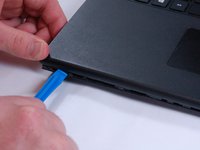
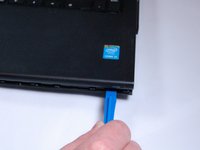
Use the plastic prying device to release the keyboard. Avoid from using excessive force to prevent damages.
-
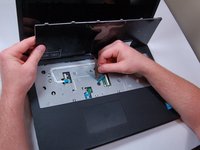
Lift the keyboard.
-
Unplug the cable connecting the keyboard to the laptop.
-
Remove the keyboard.
-
-
-
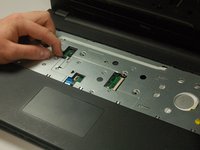
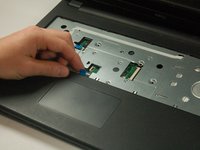
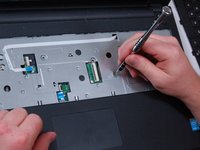
Unplug the touch pad cables located on the palm rest.
-
Remove the screws. (3 x M2.5 x 5mm)
-
-
-
Carefully unsnap the palm rest from the rest of the laptop.
-
Remove the palm rest.
-
-
-
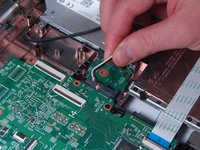
Unplug the cable that connects to the motherboard.
-
Remove the DC jack from the laptop.
-
-
-
Remove the screws. (1 x M2 x 3mm)
-
Unplug the circuit board from the rest of the computer.
-
-
-
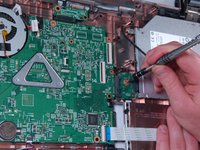
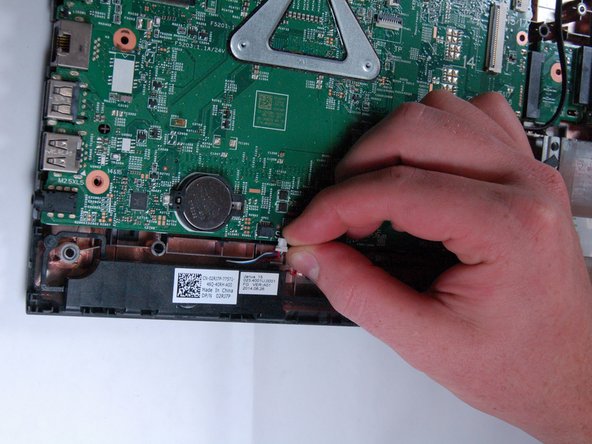
Unplug the cable on the bottom part of the mother board.
-
Remove the screws.
-
Remove the cable on the right side of the motherboard. (3x M2.5 x 5mm)
-
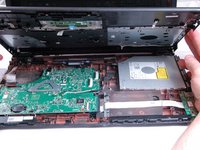
Remove the motherboard from the laptop.
-
-
















To reassemble your device, follow these instructions in reverse order. Congratulations on replacing the Motherboard on your Dell Inpiron 3542.
Cancel: I did not complete this guide.
5 other people completed this guide.

Team

Texas Tech, Team S46-G1, Bennett Spring 2017 Member of Texas Tech, Team S46-G1, Bennett Spring 2017
TTU-BENNETT-S17S46G1
3 Members
60 Guides authored
1 Guide Comment
Anyone know where I can purchase a board for a Dell Inspiron 3542 in the UK?
