Free Shipping on Domestic Orders $75+

Dell G15-5511 Gaming RAM Replacement

What you need

    1. Dell G15-5511 Gaming RAM Replacement, Unfasten the back cover: step 1, image 1 of 2 Dell G15-5511 Gaming RAM Replacement, Unfasten the back cover: step 1, image 2 of 2
      • For your safety, discharge the battery below 25% and power down your device before disassembly.

      • Use a Phillips #1 screwdriver to remove the four 6.8 mm-long screws that secure the cover.

      • Use a Phillips #1 screwdriver to loosen the four captive screws.

      Ask FixBot

      Add Comment

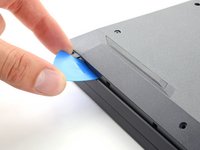
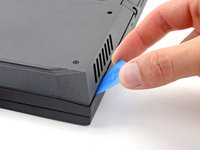
    2. Dell G15-5511 Gaming RAM Replacement, Unclip the front corners: step 2, image 1 of 2 Dell G15-5511 Gaming RAM Replacement, Unclip the front corners: step 2, image 2 of 2
      • Insert an opening pick between the bottom-left corner of the back cover and the chassis.

      • Pry up to release the clips securing the back cover.

      • You'll hear a click whenever a clip is released.

      Ask FixBot

      Add Comment

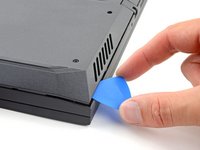
    3. Dell G15-5511 Gaming RAM Replacement: step 3, image 1 of 2 Dell G15-5511 Gaming RAM Replacement: step 3, image 2 of 2
      • Insert your opening pick again between the bottom-right corner of the back cover and the chassis.

      • Pry up to release the remaining clips securing the back cover.

      Ask FixBot

      Add Comment

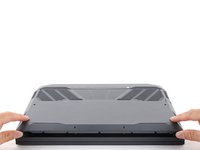
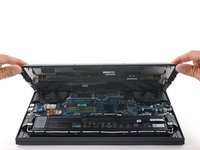
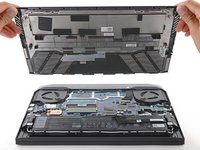
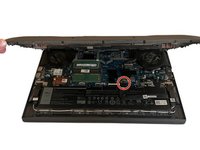
    4. Dell G15-5511 Gaming RAM Replacement, Remove the back cover: step 4, image 1 of 3 Dell G15-5511 Gaming RAM Replacement, Remove the back cover: step 4, image 2 of 3 Dell G15-5511 Gaming RAM Replacement, Remove the back cover: step 4, image 3 of 3
      • Grip the front of the back cover and lift it away from the laptop.

      • Pull the back cover towards you to disconnect the clips along the top of the back cover.

      • Remove the back cover.

      Ask FixBot

      Add Comment

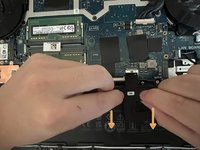
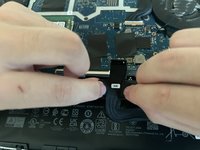
    1. Dell G15-5511 Gaming RAM Replacement, RAM: step 5, image 1 of 3 Dell G15-5511 Gaming RAM Replacement, RAM: step 5, image 2 of 3 Dell G15-5511 Gaming RAM Replacement, RAM: step 5, image 3 of 3
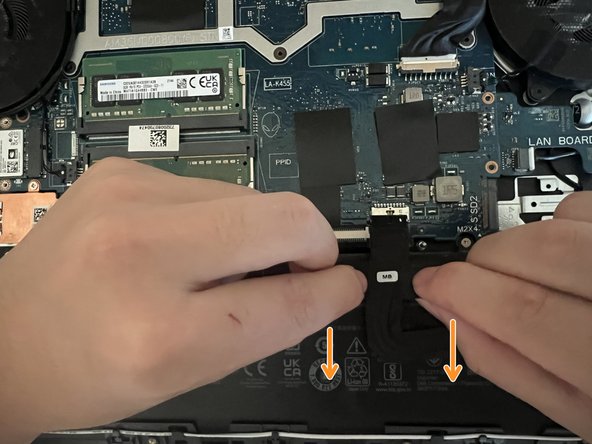
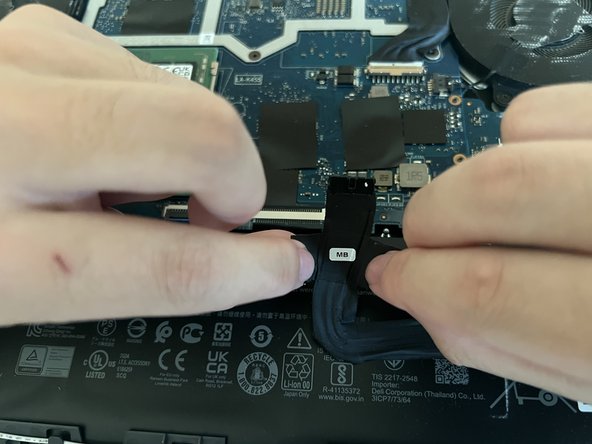
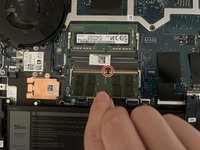
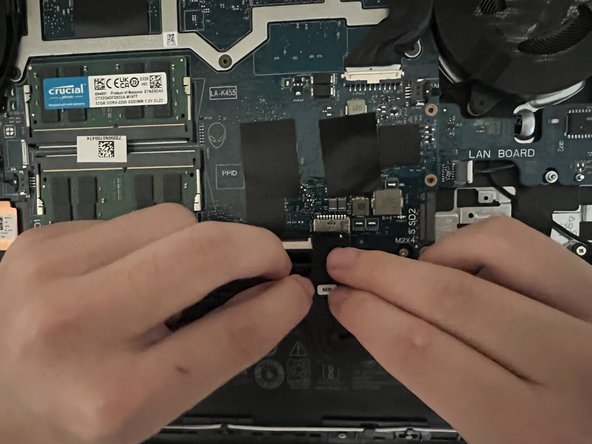
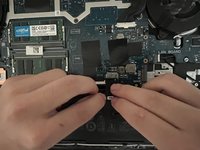
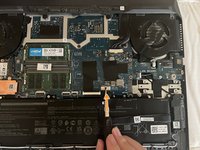
      • Locate the component in the circle area, the battery connector on the motherboard.

      • Carefully grasp the connector by its side and pull it away from the mother board.

      • Do not apply excessive force since it could damage the connector or the socket.

      Ask FixBot

      Add Comment

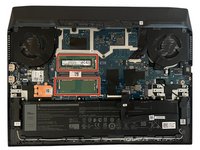
    2. Dell G15-5511 Gaming RAM Replacement: step 6, image 1 of 3 Dell G15-5511 Gaming RAM Replacement: step 6, image 2 of 3 Dell G15-5511 Gaming RAM Replacement: step 6, image 3 of 3
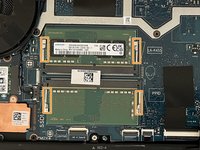
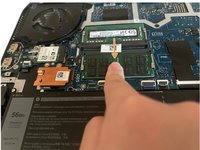
      • Locate the two RAM slots highlighted by the red rectangles.

      • Locate the metal retaining clip outward, as highlighted by the red rectangles.

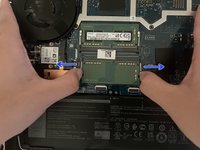
      • Carefully grasp the metal retain clips and pull them away from the RAM slot.

      Ask FixBot

      Add Comment

    3. Dell G15-5511 Gaming RAM Replacement: step 7, image 1 of 3 Dell G15-5511 Gaming RAM Replacement: step 7, image 2 of 3 Dell G15-5511 Gaming RAM Replacement: step 7, image 3 of 3
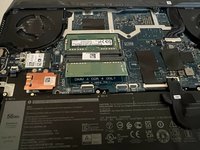
      • Once the clips are released, carefully pull the module out of the slot.

      • When installing the new RAM, align the notches on the RAM module with the gap in the slot.

      • Push down the RAM until the metal retaining clip snaps into place, retaining the RAM.

      • If you have a second RAM that you want to be replaced, simply repeat the Step 2 and Step 3.

      Ask FixBot

      Add Comment

    4. Dell G15-5511 Gaming RAM Replacement: step 8, image 1 of 3 Dell G15-5511 Gaming RAM Replacement: step 8, image 2 of 3 Dell G15-5511 Gaming RAM Replacement: step 8, image 3 of 3
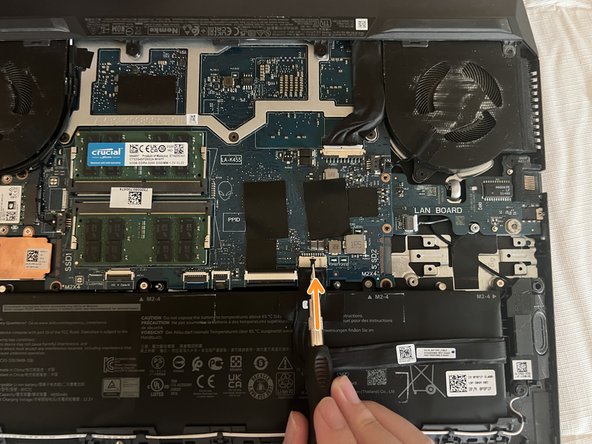
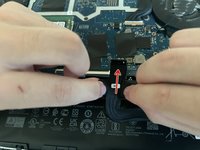
      • Reconnect the Battery to the motherboard.

      • Using a screwdriver to secure the battery connector, carefully push forward the top part of the battery connector.

      Ask FixBot

      Add Comment

Finish Line

Cancel: I did not complete this guide.

4 other people completed this guide.

Hang Bao

Member since: 10/23/23

190 Reputation

1 Guide authored

Team

0 Guide Comments

Add Comment

View Statistics:

Past 24 Hours: 2

Past 7 Days: 26

Past 30 Days: 128

All Time: 2,315