Introduction
Use this guide to replace the touchpad in a Dell Adamo 13 laptop computer.
There are no special skills or tools needed to complete this guide.
A touchpad may be failing if it doesn’t detect your movements. If you slide your finger over the touchpad and it doesn’t move after troubleshooting it using your device’s various troubleshooting means then it may be time to replace it.
Before beginning, be sure to completely power off your device.
What you need
-
-
-
Remove the bottom cover by unsnapping the clips around the edge of the computer.
-
-
-
-
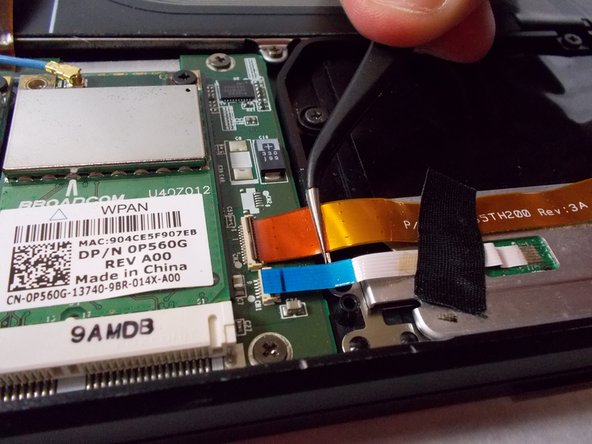
Disconnect orange film wire harness from the slot it is connected to.
-
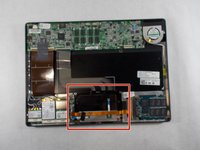
Remove the battery from the device.
-
-
-
-
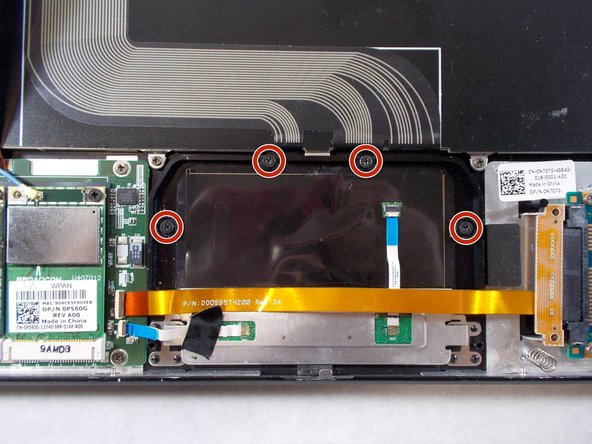
Using the Phillips #0 screwdriver, remove the four 2 mm screws securing the touchpad to the device.
-
Remove the touchpad from the device.
-

 Ask FixBot


To reassemble your device, follow these instructions in reverse order.

Team

UMass Dartmouth, Team 3-7, Sinclaire Fall 2021 Member of UMass Dartmouth, Team 3-7, Sinclaire Fall 2021
UMASSD-SINCLAIRE-F21S3G7
3 Members
72 Guides authored
