
Dell AC511 USB Cable Replacement

William Cook and one other contributor
Last updated on Jun 25, 2024
Views: 660
View statistics:
- Past 24 Hours:
- 2
- Past 7 Days:
- 18
- Past 30 Days:
- 76
- All Time:
- 660
Comments: 0
No one has left comments on this guide. Will you be first?
Go to guide commentsCompleted: 0 1
No one has marked this guide "completed." Will you be the first?
1 person has marked this guide "completed." It's you — great job!
Favorites: 0 1
No one has favorited (and subscribed to) this guide. Will you be the first?
1 person has favorited (and subscribed to) this guide — and that's you!
Scenic Route
This guide's procedure isn't the most efficient way to get the job done, but still may be useful in some circumstances.
Better Introduction
Improve this guide by completing or revising its introduction.
Introduction
Go to step 1 ↓Replacing the USB cable requires a near-total breakdown of the soundbar, so we only recommend it as a last resort.
What you need
Tools
-
-
-
Vinyl electrical tapeOptional Affiliate linkAvailable for sale on Amazon
If you will be splicing the new USB on
-
-
-
Lead-Free Solder$5.994.9Optional
You'll need a very small diameter. To be used with the Soldering Iron
-


-
-
-
Use a Jimmy to peel off the screen stuck to the front of the speaker.
-
Start from any corner and use the Jimmy to get under the screen. Once one side lifts up, you can use your fingers to peel the rest off.
 Ask FixBot
-
-
-
Lift the front panel off of the rest of the device.
-
Remove the 4 mm screws from the speakers using a JIS #1 screwdriver.
-
Remove the front panel from the device.
-
-
-
-
-
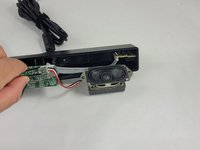
Follow the three wires connected to the speaker to find where they connect to the circuit board.
-
Use tweezers to gently rock the end of the wires back and forth until they disconnect from the board.
-
-
-
-
-
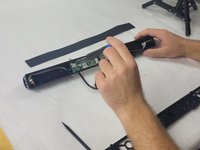
Remove the 6 mm screws connecting the circuit board to the rear panel using a Phillips #1 screwdriver.
-
-
-
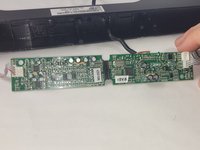
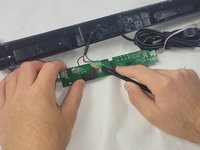
The small wires may be glued to the circuit board. Pry off the glue with the Halberd Spudger.
-
-
-
-
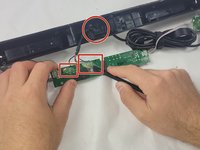
If the wiring to the circuit board seems fine, use a razor or wire strippers to clear the rubber insulation away from the USB.
-
After removing the rubber insulation from the smaller wires, remove the access USB.
-
Splice in the new USB and wrap the connection with the colored wires in electrical tape.
-
-
-
Remove the old USB wiring as best as possible from the circuit board.
-
Remember the locations of the color coded USB wires and solder each into their respective places.
-
-


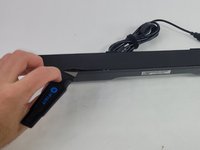


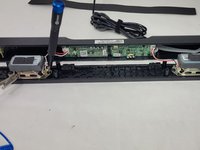
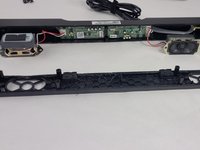


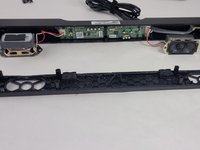






To reassemble your device, follow these instructions in reverse order.

Team

UMass Dartmouth, Team 4-6, Shaddix Spring 2024 Member of UMass Dartmouth, Team 4-6, Shaddix Spring 2024
UMASSD-SHADDIX-S24S4G6
4 Members
72 Guides authored
