
Dell 3100 (Touch) Battery Replacement

Isaac and one other contributor
Last updated on Jul 26, 2024
Views: 370
View statistics:
- Past 24 Hours:
- 2
- Past 7 Days:
- 13
- Past 30 Days:
- 66
- All Time:
- 370
Comments: 0
No one has left comments on this guide. Will you be first?
Go to guide commentsCompleted: 1 2
1 person has marked this guide "completed." Will you be next?
2 people have marked this guide "completed." Including you — great job!
Favorites: 0 1
No one has favorited (and subscribed to) this guide. Will you be the first?
1 person has favorited (and subscribed to) this guide — and that's you!
Community-Contributed Guide
An awesome member of our community made this guide. It was not created by iFixit staff.
Grammar Police
Embrace your inner English teacher and help improve this guide's grammar!
Bullets!
Better coordination with markups and the color/type of bullets will help make this guide more clear!
-
-
-
Unscrew the nine PH#0 captive screws on the bottom of the device.
-
Use a pick to run along the outside of the device popping all the clips. Prying should not be necessary.
 Ask FixBot
-
-
-
-
-
Pull carefully, but firmly, on the battery cable until it becomes detached.
-
-
-
-
-
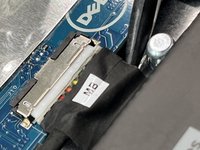
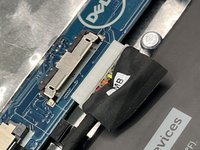
Use a plastic spudger to lift up the flap. Use the flap to pull the connector straight away from the board (towards the battery).
-
-
-
-
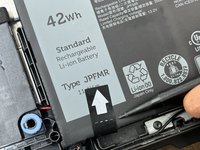
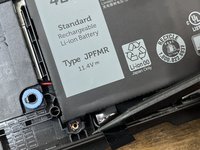
Use a spudger to detach the tab, and pull the tab up away from the device. This will break the adhesive holding in the battery.
-
-




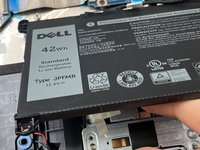
To reassemble your device, follow these instructions in reverse order.
Cancel: I did not complete this guide.
One other person completed this guide.

