Introduction
This guide includes instructions going over how to replace the USB port on a DeWalt Jobsite DCR010.
This guide requires you to solder, so before we begin the replacement process, it is important to prioritize your safety. Soldering and desoldering involve high temperatures, causing potential health risks to you or those around you during this process. Make sure you are following this guide while in a ventilated area.
If you are new to soldering and desoldering electronic connections, please follow iFixit's Soldering Guide before beginning the USB port replacement.
What you need
-
-
Remove the eleven 15 mm screws on the corners and back of the device casing using a Phillips #2 screwdriver.
 Ask FixBot
-
-
-
Take the casing apart by pulling the rubber corners away from the body of the speaker.
-
Pull the top handle away from the body of the case once the corners are removed.
-
-
-
Remove or slice the DeWalt sticker on the left side of the device in.
-
Push out the two pins on the top of the device.
-
-
-
-
Unplug the connections running between the two sides of the case by pinching the tab on the non-speaker side and pulling away from the point of attachment.
-
-
-
Remove the wired connections to the motherboard by squeezing the plastic tab and pulling away from the point of connection.
-
-
-
Unscrew the four 10 mm screws securing the motherboard with a Phillips #2 screwdriver.
-
Lift the motherboard up and out of the device.
-
-
-
On the back of the motherboard, remove the two 1 cm screws holding the port cover in place using the Phillips #2 screwdriver.
-
-
-
Remove the two clips holding the port cover in place. Squeeze them together to slide the port cover off of the motherboard.
-
Set the motherboard aside.
-
-
-
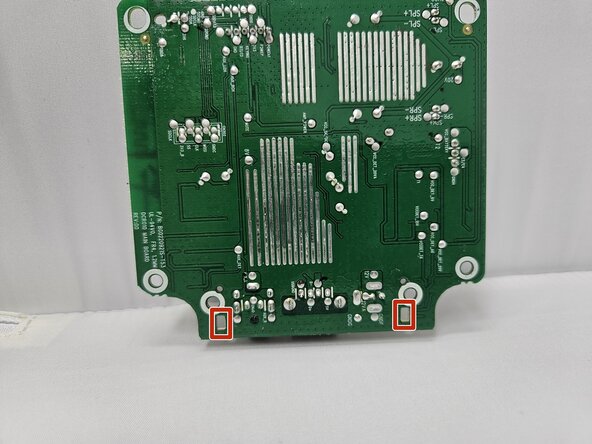
Desolder the points of contact holding the existing USB port in place.
-
Solder in your replacement USB port.
-




To reassemble your device, follow the above steps in reverse order.
Take your e-waste to an R2 or e-Stewards certified recycler.
Repair didn’t go as planned? Try some basic troubleshooting or ask our Answers community for help.

Team

Utah Tech University, Team 1-1, McMurrin Spring 2026 Member of Utah Tech University, Team 1-1, McMurrin Spring 2026
UTAHTECH-MCMURRIN-S26S1G1
3 Members
7 Guides authored
