Free Shipping on Domestic Orders $75+

DYMO LabelPOINT 100 Cutting Blade Replacement

Views: 3.3K

View statistics:

Past 24 Hours:
4
Past 7 Days:
24
Past 30 Days:
99
All Time:
3,266
Comments: 2

1 comment on steps, 1 guide comment.

Go to guide comments
Completed: 1

1 person has marked this guide "completed." Will you be next?

Favorites: 0

No one has favorited (and subscribed to) this guide. Will you be the first?

Time Required: 10 - 15 minutes
Difficulty: Moderate
Better Introduction

Improve this guide by completing or revising its introduction.

DYMO LabelPOINT 100 Cutting Blade Replacement

What you need

Tools

    1. DYMO LabelPOINT 100 Cutting Blade Replacement, Rear Panel: step 1, image 1 of 3 DYMO LabelPOINT 100 Cutting Blade Replacement, Rear Panel: step 1, image 2 of 3 DYMO LabelPOINT 100 Cutting Blade Replacement, Rear Panel: step 1, image 3 of 3
      • Slide the panel release button.

      • Lift the panel.

      Ask FixBot

      Add Comment

    2. DYMO LabelPOINT 100 Cutting Blade Replacement, Remove Label Tape Cassette: step 2, image 1 of 2 DYMO LabelPOINT 100 Cutting Blade Replacement, Remove Label Tape Cassette: step 2, image 2 of 2
      • Firmly press the cartridge release button with your finger.

      • You may need to hold the cassette and/or entire device still while pressing the button.

      • Lift the label tape cassette out of the device.

      Ask FixBot

      Add Comment

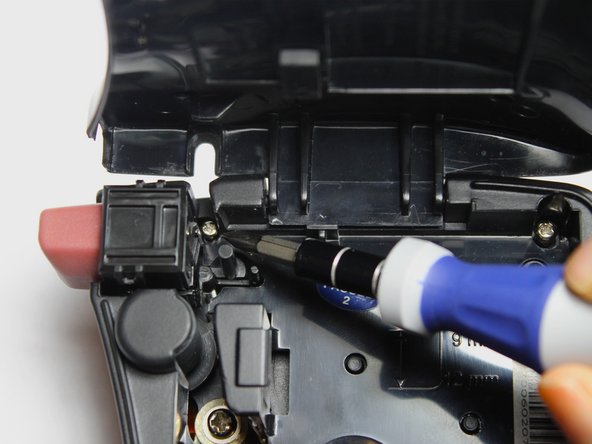
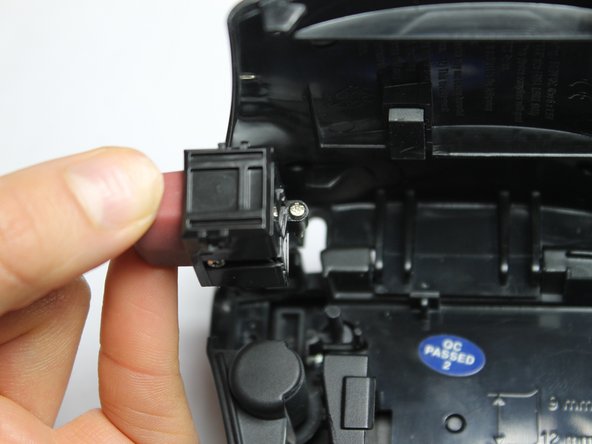
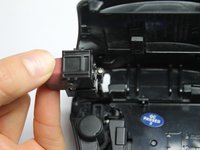
    1. DYMO LabelPOINT 100 Cutting Blade Replacement, Blade Disassembly: step 3, image 1 of 3 DYMO LabelPOINT 100 Cutting Blade Replacement, Blade Disassembly: step 3, image 2 of 3 DYMO LabelPOINT 100 Cutting Blade Replacement, Blade Disassembly: step 3, image 3 of 3
      • Use Phillips #00 Screwdriver to disengage cutter from device

      • Remove cutter

      Ask FixBot

      Add Comment

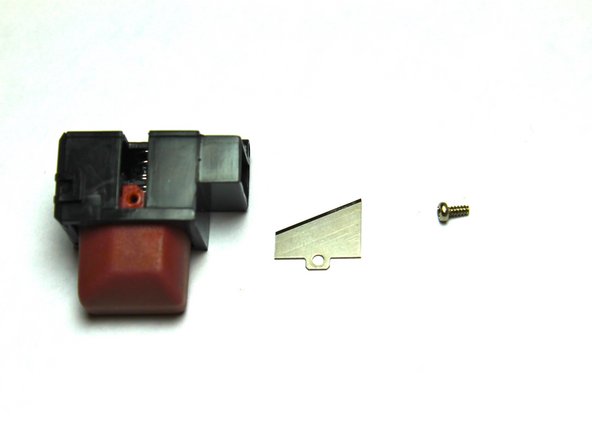
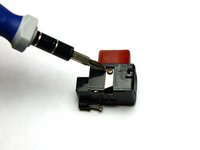
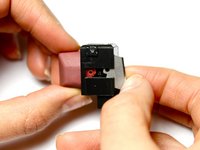
    2. DYMO LabelPOINT 100 Cutting Blade Replacement, Remove Blade: step 4, image 1 of 3 DYMO LabelPOINT 100 Cutting Blade Replacement, Remove Blade: step 4, image 2 of 3 DYMO LabelPOINT 100 Cutting Blade Replacement, Remove Blade: step 4, image 3 of 3
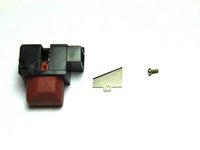
      • Use Phillips #00 screw to unscrew blade from blade cutter

      • Carefully remove blade. The blade is sharp and can be dangerous if not handled properly.

      • Replace blade

      Ask FixBot

      Add Comment

Conclusion

To reassemble your device, follow these instructions in reverse order.

Cancel: I did not complete this guide.

One other person completed this guide.

Dustin Holifer

Member since: 09/25/14

207 Reputation

2 Guides authored

Team

USF Tampa, Team 5-2, Mcgee Fall 2014 Member of USF Tampa, Team 5-2, Mcgee Fall 2014

USFT-MCGEE-F14S5G2

4 Members

60 Guides authored

1 Guide Comment

dangerous? Really :) haha anyway nice review.

speedy - Reply Share

Add Comment

View Statistics:

Past 24 Hours: 4

Past 7 Days: 24

Past 30 Days: 99

All Time: 3,266