
DJI Spark Controller Mobile Device Grip Replacement

Amelia Hagberg and 2 other contributors
Last updated on Dec 4, 2024
Views: 1.2K
View statistics:
- Past 24 Hours:
- 2
- Past 7 Days:
- 15
- Past 30 Days:
- 61
- All Time:
- 1,250
Comments: 0
No one has left comments on this guide. Will you be first?
Go to guide commentsCompleted: 0 1
No one has marked this guide "completed." Will you be the first?
1 person has marked this guide "completed." It's you — great job!
Favorites: 0 1
No one has favorited (and subscribed to) this guide. Will you be the first?
1 person has favorited (and subscribed to) this guide — and that's you!
Introduction
Go to step 1 ↓If you notice the foldable mobile arm grips of the controller of your DJI Spark (model CP.PT.000903) have become too loose or are damaged and in need of replacement, use this guide. The mobile device grip arms hold a mobile device that the user inserts into them. The mobile device can then be used to control the drone via the virtual controller on the DJI Go app or provide the user with a video feed. If the mobile arm grips on the DJI Spark controller no longer function as normal, it may be because the rubber on the inside of the mobile device grips has been eroded away. Additionally, they may no longer function as normal due to one or both of the mobile device grips being loose.
What you need
Tools

-
-
-
Unfold the arm.
-
Extend the controller’s arm as you would before normally flying the drone.
-
To avoid obstruction, make sure the screwheads of the grip are parallel to the body of the controller.
 Ask FixBot
-
-
-


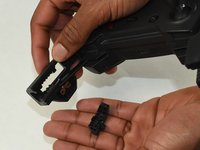
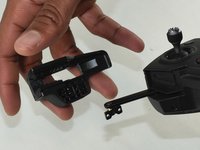
To reassemble your device, follow these instructions in reverse order.

Team

UMass Dartmouth, Team S1-G7, Botvin Fall 2019 Member of UMass Dartmouth, Team S1-G7, Botvin Fall 2019
UMASSD-BOTVIN-F19S1G7
3 Members
84 Guides authored
