
DJI Spark Camera Replacement

Amelia Hagberg and 5 other contributors
Last updated on Apr 6, 2023
Views: 7.7K
View statistics:
- Past 24 Hours:
- 2
- Past 7 Days:
- 26
- Past 30 Days:
- 111
- All Time:
- 7,671
Comments: 8
6 comments on steps, 2 guide comments.
Go to guide commentsCompleted: 5 6
5 people have marked this guide "completed." Will you be next?
6 people have marked this guide "completed." Including you — great job!
Favorites: 1 2
1 person has favorited (and subscribed to) this guide. Will you be next?
2 people have favorited (and subscribed to) this guide — including you!
Introduction
Go to step 1 ↓If you need to replace the camera of your DJI Spark (model CP.PT.000903) because it is no longer taking photos or recording as required, use this guide. The camera of the DJI Spark allows the user to take photos with a resolution of 3968×2976p and videos with a resolution of 1920×1080 at a rate of 30p. If the camera is no longer working, it may be unable to save any new videos or pictures taken, or may not be able to take photos or videos at all due to damaged cables.
What you need
Tools


-
-
-
-
Flip the drone over.
-
Grip the left and right sides of the battery.
-
Slide firmly forward until it pops out.
-
-
-
-
-
Flip the drone over.
-
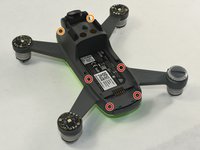
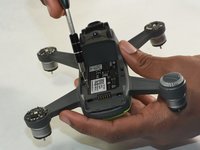
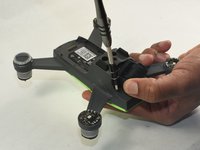
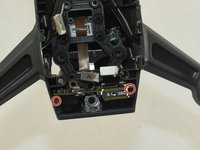
Remove the four 1.5mm Hex screws.
-
Remove the two 1.5mm Hex screws near the camera head.
-
-
-
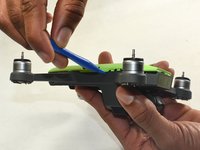
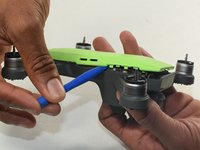
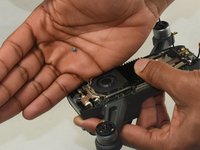
Hold the drone so the lid is facing up.
-
Insert the plastic opening tool into the side of the drone.
-
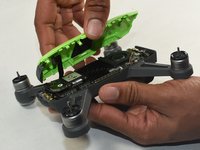
Slide the tool around the perimeter until you can lift the top off.
-
-
-
-
-
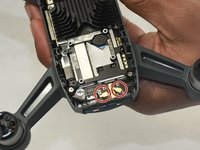
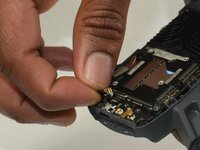
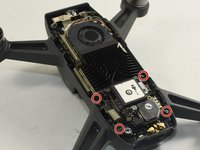
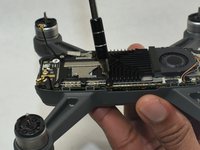
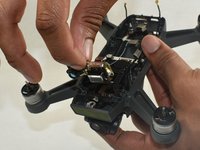
Disconnect two gold antenna next to the internal GPS while removing the motherboard.
-
-
-
-
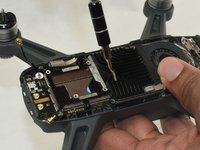
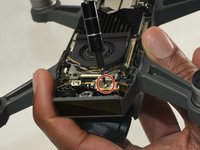
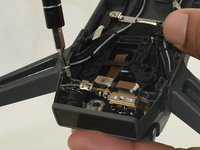
Remove the two Phillips #0 screws on the right and left sides.
-
Once removed, pull the front facing sensor out.
-
-

 Ask FixBot














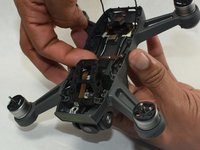
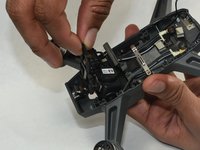
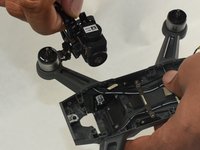
To reassemble your device, follow these instructions in reverse order.
Cancel: I did not complete this guide.
5 other people completed this guide.

Team

UMass Dartmouth, Team S1-G7, Botvin Fall 2019 Member of UMass Dartmouth, Team S1-G7, Botvin Fall 2019
UMASSD-BOTVIN-F19S1G7
3 Members
84 Guides authored
2 Guide Comments
Good start, but missing many steps and details.
I am now going to try and fix my drone. thank you so much
