
DJI Phantom Propeller Replacement

David Hoyt and 2 other contributors
Last updated on Feb 19, 2015
Views: 1.8K
View statistics:
- Past 24 Hours:
- 3
- Past 7 Days:
- 21
- Past 30 Days:
- 98
- All Time:
- 1,833
Comments: 0
No one has left comments on this guide. Will you be first?
Go to guide commentsCompleted: 0 1
No one has marked this guide "completed." Will you be the first?
1 person has marked this guide "completed." It's you — great job!
Favorites: 3 4
3 people have favorited (and subscribed to) this guide. Will you be next?
4 people have favorited (and subscribed to) this guide — including you!
Introduction
Go to step 1 ↓Use this guide to replace a broken propellor on your DJI Phantom. When replacing, be sure to match the original propellor spin direction.
What you need
Parts
Tools

-
-
-
Press down on battery door release tab to flip the battery door open.
 Ask FixBot
-
-
-
Pull the two halves of the XT60 power connector apart.
-
-
-
-
-
Silver-topped propeller collets unscrew counter-clockwise
-
Black-topped propeller collets unscrew clockwise
-
-
-
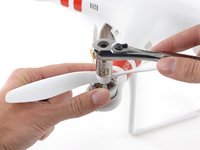
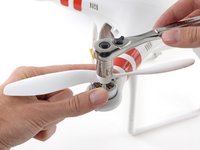
For propellors with silver collets: Use a 12 mm wrench or socket to loosen silver collets in the counter-clockwise direction.
-
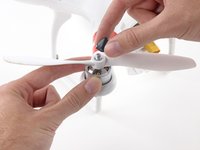
Once free, unscrew and remove the collet.
-
-
-
-
For propellors with black collets: Use a 12 mm wrench or socket to loosen black collets in the clockwise direction.
-
Once free, unscrew and remove the collet.
-
-
-
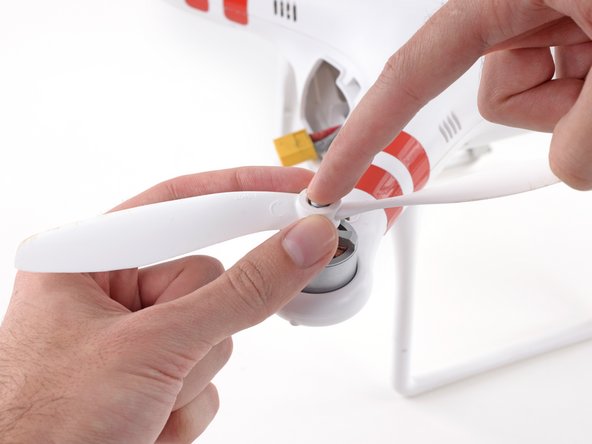
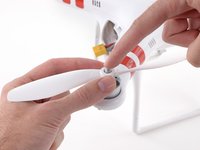
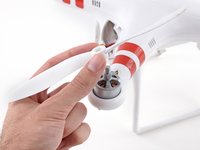
Gently press down the motor shaft and lift the propeller up to remove it.
-
-







To reassemble your device, follow these instructions in reverse order.

Team

Cal Poly, Team 25-89, Amido Spring 2010 Member of Cal Poly, Team 25-89, Amido Spring 2010
CPSU-AMIDO-S10S25G89
4 Members
564 Guides authored
