Free Shipping on Domestic Orders $75+

DJI Phantom 4 Advanced Remote Controller Motherboard Replacement

What you need

    1. DJI Phantom 4 Advanced Remote Controller Motherboard Replacement, Back Panel: step 1, image 1 of 1
      • Remove the four screws with a Torx T8 screwdriver to access the back con board.

      Ask FixBot

      Add Comment

    2. DJI Phantom 4 Advanced Remote Controller Motherboard Replacement: step 2, image 1 of 2 DJI Phantom 4 Advanced Remote Controller Motherboard Replacement: step 2, image 2 of 2
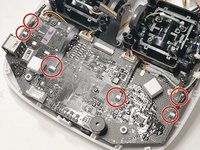
      • Remove three screws using a Phillips #00 screwdriver.

      Ask FixBot

      Add Comment

    3. DJI Phantom 4 Advanced Remote Controller Motherboard Replacement: step 3, image 1 of 2 DJI Phantom 4 Advanced Remote Controller Motherboard Replacement: step 3, image 2 of 2
      Tool used on this step:
      Tweezers
      $4.99
      Buy
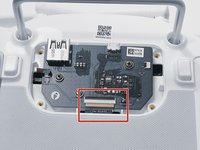
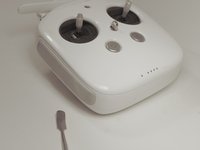
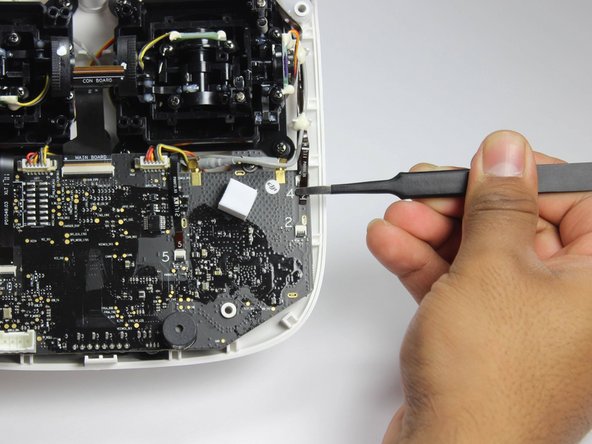
      • With tweezers, gently remove the large con board tab.

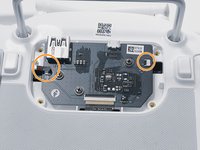
      • Use your hands to remove the two small clips. Pull out from the socket, in a horizontal direction.

      Ask FixBot

      Add Comment

    4. DJI Phantom 4 Advanced Remote Controller Motherboard Replacement: step 4, image 1 of 2 DJI Phantom 4 Advanced Remote Controller Motherboard Replacement: step 4, image 2 of 2
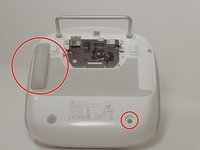
      • Peel off the rubber grips to access the screw holes.

      • Make sure to save your grips and do not to get them stuck to anything, you are going to want to save the adhesive.

      • Remove the back board and set it aside.

      Ask FixBot

      Add Comment

    5. DJI Phantom 4 Advanced Remote Controller Motherboard Replacement: step 5, image 1 of 2 DJI Phantom 4 Advanced Remote Controller Motherboard Replacement: step 5, image 2 of 2
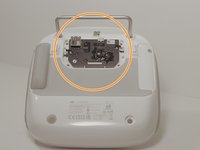
      • Pull apart the back plastic panel.

      • Recommended tool for this would be the metal spudger, but not required.

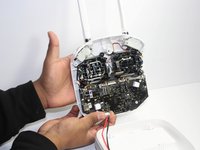
      • Once the back panel is off, you will have access to the motherboard.

      Ask FixBot

      Add Comment

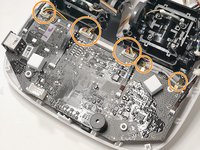
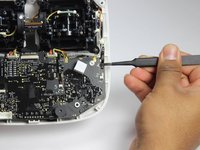
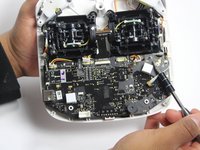
    1. DJI Phantom 4 Advanced Remote Controller Motherboard Replacement, Motherboard: step 6, image 1 of 3 DJI Phantom 4 Advanced Remote Controller Motherboard Replacement, Motherboard: step 6, image 2 of 3 DJI Phantom 4 Advanced Remote Controller Motherboard Replacement, Motherboard: step 6, image 3 of 3
      • Disconnect ribbon tabs 1,2,5,8G, and 3.

      • Remove ribbon tab by pulling gently along motherboard. Do not pull straight out.

      • Then remove the plugs

      Ask FixBot

      Add Comment

    2. DJI Phantom 4 Advanced Remote Controller Motherboard Replacement: step 7, image 1 of 2 DJI Phantom 4 Advanced Remote Controller Motherboard Replacement: step 7, image 2 of 2
      • With the Phillips #00 screwdriver, remove the two Phillips screws.

      Ask FixBot

      Add Comment

    3. DJI Phantom 4 Advanced Remote Controller Motherboard Replacement: step 8, image 1 of 1
      • Double check to make sure all tabs, plugs and screws are removed or disconnected.

      • Gently lift motherboard out of the case.

      Ask FixBot

      Add Comment

Conclusion

To reassemble your device, follow these instructions in reverse order.

Cancel: I did not complete this guide.

2 other people completed this guide.

2 Guide Comments

Do you know here can i buy a main board for phantom 4 advanced remote controller?

carl_darklife - Reply Share

I would like to know too, can’t find one anywhere

Luke James - Reply Share

Add Comment

View Statistics:

Past 24 Hours: 0

Past 7 Days: 10

Past 30 Days: 43

All Time: 2,796