
DJI Phantom 4 Advanced Remote Controller Control Sticks Replacement

Abdullah Muslih Abdul Samad and one other contributor
Last updated on Jul 10, 2019
Views: 1.6K
View statistics:
- Past 24 Hours:
- 2
- Past 7 Days:
- 11
- Past 30 Days:
- 78
- All Time:
- 1,561
Comments: 0
No one has left comments on this guide. Will you be first?
Go to guide commentsCompleted: 0 1
No one has marked this guide "completed." Will you be the first?
1 person has marked this guide "completed." It's you — great job!
Favorites: 0 1
No one has favorited (and subscribed to) this guide. Will you be the first?
1 person has favorited (and subscribed to) this guide — and that's you!
Action Shots
Be an action hero! This guide needs images that better demonstrate how to perform specific actions.
Introduction
Go to step 1 ↓This guide will demonstrate step by step detailed instructions on how to safely remove and replace the Control Sticks of a DJI Phantom 4 Advanced Remote Controller. Since this operation will require to disconnect the motherboard is highly recommended to start this task with the appropriate tools on hand as well as enough time.
During this process s lot of connectors are required to be unplugged with caution to avoid damages to other parts , compromising the functionality of the remote controller.
Someone might need to replace the control sticks because of faultiness such as, inaccurate navigation, drifting directions without input, and control stick not functioning at all.
What you need


-
-
-
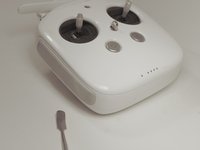
Remove the four screws with a Torx T8 screwdriver to access the back con board.
 Ask FixBot
-
-
Tool used on this step:Tweezers$4.99
-
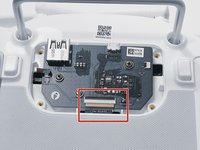
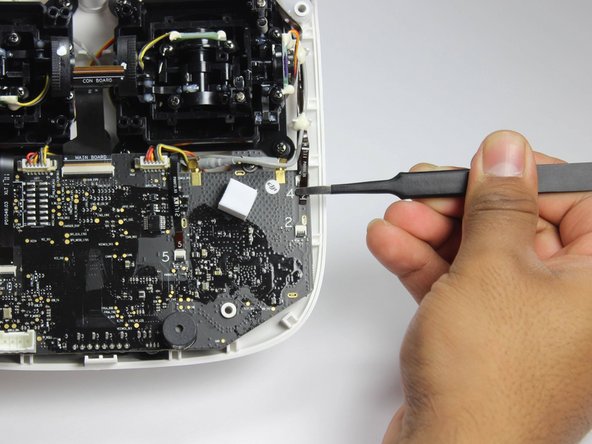
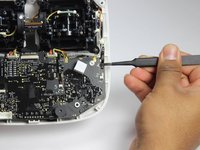
With tweezers, gently remove the large con board tab.
-
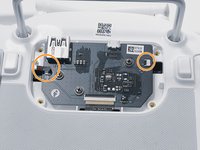
Use your hands to remove the two small clips. Pull out from the socket, in a horizontal direction.
-
-
-
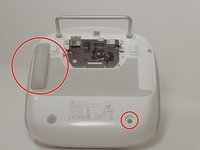
Peel off the rubber grips to access the screw holes.
-
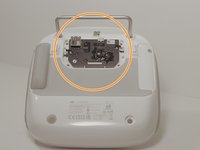
Remove the back board and set it aside.
-
-
-
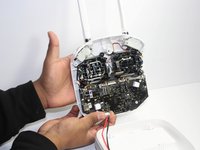
Pull apart the back plastic panel.
-
Once the back panel is off, you will have access to the motherboard.
-
-
-
-
-
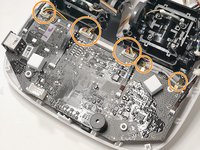
Disconnect ribbon tabs 1,2,5,8G, and 3.
-
Remove ribbon tab by pulling gently along motherboard. Do not pull straight out.
-
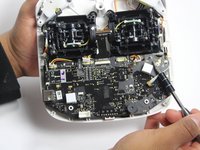
Then remove the plugs
-
-
-
-
-
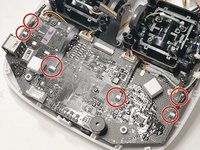
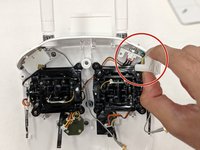
Remove the 10.7 mm Phillips screws using a Phillips #1 screwdriver.
-
-
-












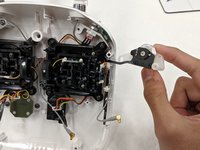
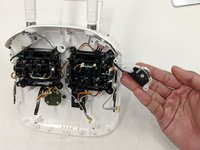


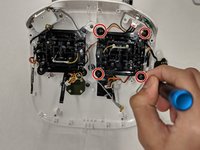
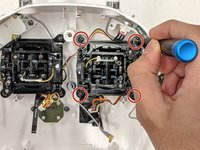


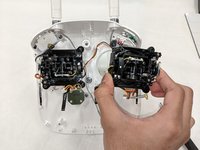
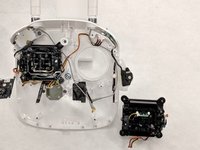

To reassemble your device, follow these instructions in reverse order.

Team

IUPUI, Team S1-G1, Harley Summer 2019 Member of IUPUI, Team S1-G1, Harley Summer 2019
IUPUI-HARLEY-SU19S1G1
3 Members
24 Guides authored
