
DJI Phantom 4 Advanced Remote Controller Battery Replacement

cade knott and 8 other contributors
Last updated on Apr 28, 2021
Views: 16K
View statistics:
- Past 24 Hours:
- 11
- Past 7 Days:
- 58
- Past 30 Days:
- 195
- All Time:
- 16,292
Comments: 4
4 guide comments.
Go to guide commentsCompleted: 10 11
10 people have marked this guide "completed." Will you be next?
11 people have marked this guide "completed." Including you — great job!
Favorites: 0 1
No one has favorited (and subscribed to) this guide. Will you be the first?
1 person has favorited (and subscribed to) this guide — and that's you!
Action Shots
Be an action hero! This guide needs images that better demonstrate how to perform specific actions.
Introduction
Go to step 1 ↓The battery can be considered the heart of the device. Without it, the devices will not work and will be useless.
So that your enjoyment does not get ruined by a dead battery, this guide provides instructions on how to replace the battery on the DJI Phantom 4 Advanced Remote Controller.
What you need
Tools
-
Spudger4.9
-


-
-
-
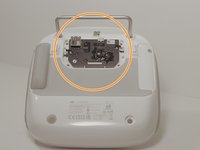
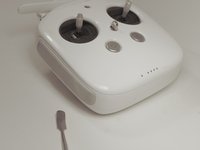
Remove the four screws with a Torx T8 screwdriver to access the back con board.
 Ask FixBot
-
-
Tool used on this step:Tweezers$4.99
-
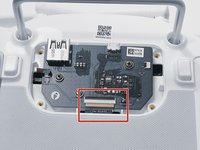
With tweezers, gently remove the large con board tab.
-
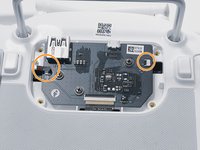
Use your hands to remove the two small clips. Pull out from the socket, in a horizontal direction.
-
-
-
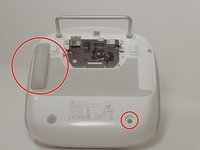
Peel off the rubber grips to access the screw holes.
-
Remove the back board and set it aside.
-
-
-
Pull apart the back plastic panel.
-
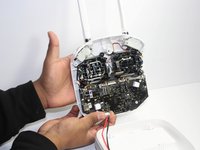
Once the back panel is off, you will have access to the motherboard.
-
-
-
-
-
-
After the cord is unplugged, remove the battery by lifting upon the plastic cover, which the battery is attached to.
-








To reassemble your device, follow these instructions in reverse order.
Cancel: I did not complete this guide.
10 other people completed this guide.

Team

Linn Benton Community College, Team S1-G4, Johnson Fall 2018 Member of Linn Benton Community College, Team S1-G4, Johnson Fall 2018
LBCC-JOHNSON-F18S1G4
3 Members
72 Guides authored
4 Guide Comments
Grrrrrreat Job!
Ich habe ein Erzatz Akku eingesetzt mit den gleichen Strom Werten, beim aufladen stelle ich fest das der Akku nicht ladet..
Es blinkt bloß ( schnell) auf einer LED.
Wo kann die Ursache liegen.
