Introduction
This guide will show you how to remove and replace the DJI Phantom 3 Standard propeller motors. The Phantom 3 Standard uses four brushless motors to spin the propellers and generate lift for flight. Each motor is mounted on the drone’s arms.
You may need to replace a motor if the drone cannot take off, if one propeller spins unevenly, or if you hear grinding or clicking noises during flight. For more details on these issues, see the DJI Phantom 3 Standard Propeller Spins Unevenly troubleshooting page.
The motors are secured with screws and wiring connections. During removal, be careful not to strip the screws or damage the motor wires. Always disconnect and remove the battery before beginning this guide to prevent electrical hazards. Handle the motors gently, as forcing them out of the housing can damage the drone’s arms or ESC connections.
Replacing the motors restores proper propeller function and ensures stable flight performance.
What you need
-
-
Flip the drone upside down.
-
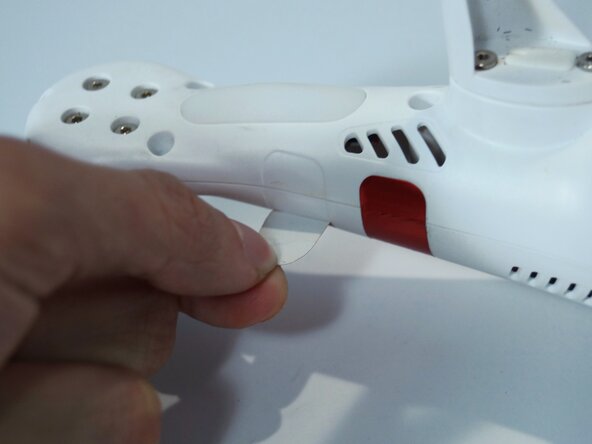
Remove the four 7mm screws from the drone's arms using a TR6 Torx screwdriver.
-
-
-
-
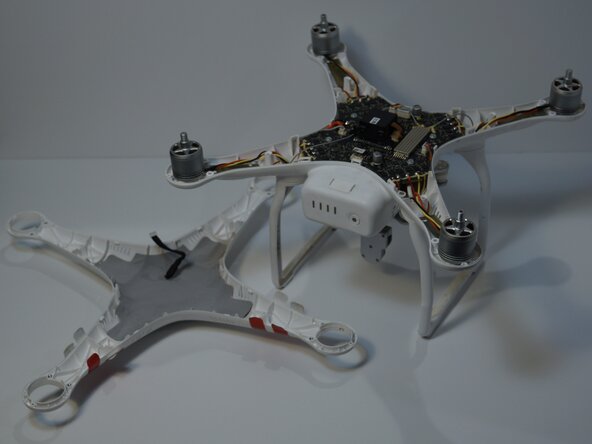
Flip the drone back over so that the landing gear is facing up.
-
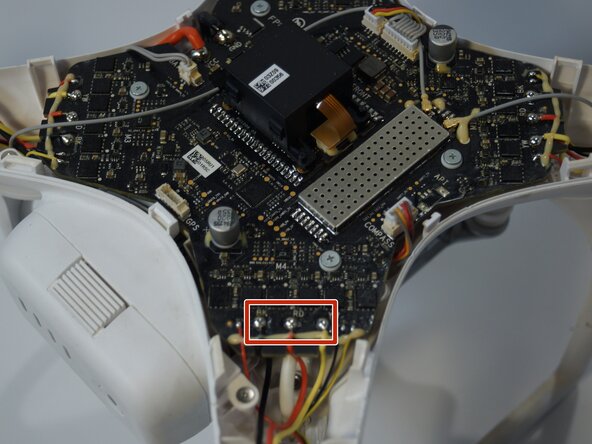
Remove the four screws connecting each motor to the casing with a 2 mm Hex screwdriver.
-








To reassemble your device, follow these instructions in reverse order.

Team

Purdue University Northwest, Team 3-6, Dieterle Fall 2025 Member of Purdue University Northwest, Team 3-6, Dieterle Fall 2025
PNW-DIETERLE-F25S3G6
3 Members
5 Guides authored
