Free Shipping on Domestic Orders $75+

DJI Phantom 3 Advanced Landing Gear Replacement

What you need

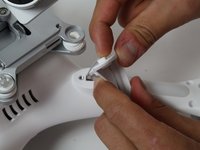
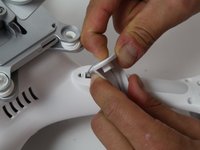
    1. DJI Phantom 3 Advanced Landing Gear Replacement, Battery: step 1, image 1 of 2 DJI Phantom 3 Advanced Landing Gear Replacement, Battery: step 1, image 2 of 2
      • With the battery facing you, locate the two tabs on the top and bottom of the battery as shown.

      • Remember to disarm and power down your quadcopter before beginning any disassembly.

      Ask FixBot

      Add Comment

    2. DJI Phantom 3 Advanced Landing Gear Replacement: step 2, image 1 of 2 DJI Phantom 3 Advanced Landing Gear Replacement: step 2, image 2 of 2
      • Press the two tabs with your finger and thumb, and gently slide the battery towards you, out of the quadcopter frame.

      • With your other hand, be sure to hold the quadcopter steady to ensure that it stays still.

      Ask FixBot

      Add Comment

    1. DJI Phantom 3 Advanced Landing Gear Replacement, Landing Gear: step 3, image 1 of 3 DJI Phantom 3 Advanced Landing Gear Replacement, Landing Gear: step 3, image 2 of 3 DJI Phantom 3 Advanced Landing Gear Replacement, Landing Gear: step 3, image 3 of 3
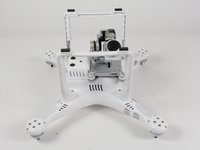
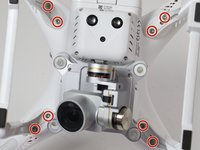
      • Turn the phantom upside down.

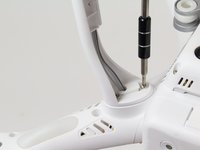
      • Remove the eight 7.5mm long 3mm screws, securing the landing gear to the body of the quadcopter, with a T-8 screwdriver.

      Ask FixBot

      Add Comment

    2. DJI Phantom 3 Advanced Landing Gear Replacement: step 4, image 1 of 3 DJI Phantom 3 Advanced Landing Gear Replacement: step 4, image 2 of 3 DJI Phantom 3 Advanced Landing Gear Replacement: step 4, image 3 of 3
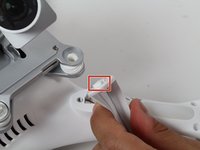
      • Remove the rubber spacer in the landing gear by pushing the spacer out of the slot with your finger.

      Ask FixBot

      Add Comment

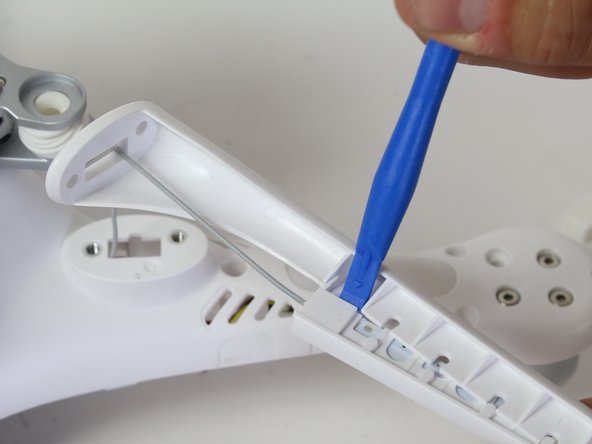
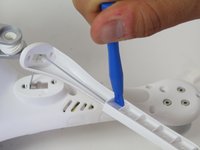
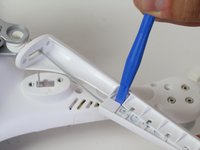
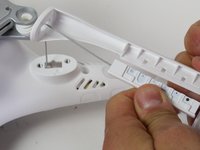
    3. DJI Phantom 3 Advanced Landing Gear Replacement: step 5, image 1 of 3 DJI Phantom 3 Advanced Landing Gear Replacement: step 5, image 2 of 3 DJI Phantom 3 Advanced Landing Gear Replacement: step 5, image 3 of 3
      • Using a plastic opening tool, carefully separate the two pieces of plastic of the landing gear.

      • Be careful not to break the wire attached, as this is your receiver antenna.

      Ask FixBot

      Add Comment

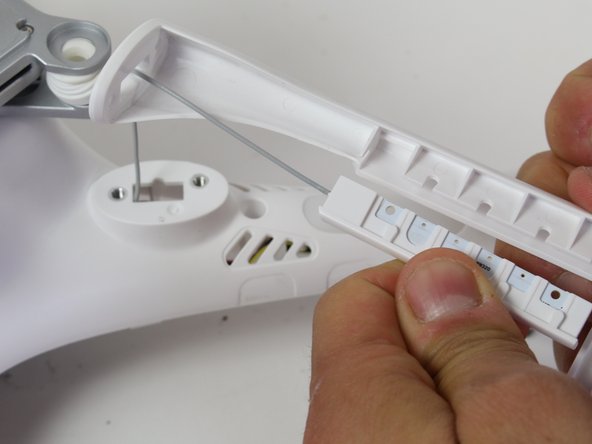
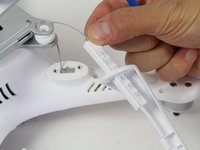
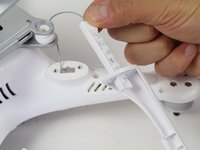
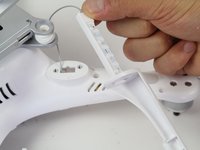
    4. DJI Phantom 3 Advanced Landing Gear Replacement: step 6, image 1 of 3 DJI Phantom 3 Advanced Landing Gear Replacement: step 6, image 2 of 3 DJI Phantom 3 Advanced Landing Gear Replacement: step 6, image 3 of 3
      • Feed the wire and attached plastic through the hole in the landing gear.

      Ask FixBot

      Add Comment

Conclusion

To reassemble your device, follow these instructions in reverse order.

Cancel: I did not complete this guide.

7 other people completed this guide.

Quinn Tirpak

Member since: 10/06/16

325 Reputation

2 Guides authored

Team

Cal Poly, Team 10-2, Livingston Fall 2016 Member of Cal Poly, Team 10-2, Livingston Fall 2016

CPSU-LIVINGSTON-F16S10G2

3 Members

72 Guides authored

1 Guide Comment

I have a single coax cable in my landing gear. the gear broke and the wire tore off the connector. How do I fix this?

Art - Reply Share

Add Comment

View Statistics:

Past 24 Hours: 4

Past 7 Days: 28

Past 30 Days: 47

All Time: 4,523