
DJI Mini 2 SE Battery Cover Replacement

Jordan and one other contributor
Last updated on Dec 1, 2024
Views: 3K
View statistics:
- Past 24 Hours:
- 8
- Past 7 Days:
- 38
- Past 30 Days:
- 153
- All Time:
- 3,024
Comments: 1
1 guide comment.
Go to guide commentsCompleted: 3 4
3 people have marked this guide "completed." Will you be next?
4 people have marked this guide "completed." Including you — great job!
Favorites: 0 1
No one has favorited (and subscribed to) this guide. Will you be the first?
1 person has favorited (and subscribed to) this guide — and that's you!
Community-Contributed Guide
An awesome member of our community made this guide. It was not created by iFixit staff.
What you need
Parts
Tools


-
-
-
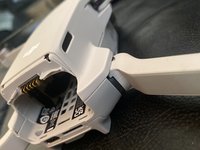
When opening the drone, this seal will break, DO THIS AT YOUR OWN RISK.
 Ask FixBot
-
-
-
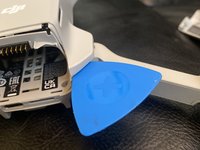
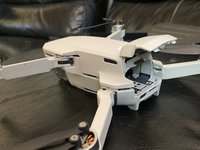
Insert an opening pick
-
Go around the drone. Carefully going around prying up.
-
-
-
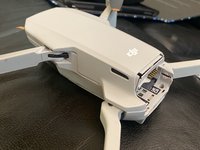
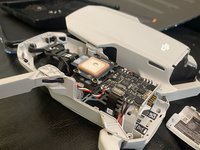
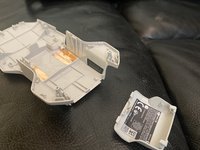
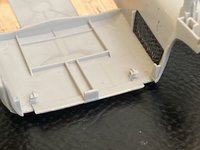
Find the clips on the top cover.
-
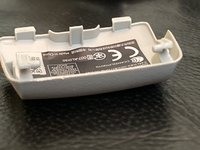
Find the clips on the battery cover.
-
-
-
-
Push down on all of the clips around the drone with medium pressure.
-
-









To reassemble your device, follow these instructions in reverse order.
Cancel: I did not complete this guide.
3 other people completed this guide.
1 Guide Comment
Thank you for making this guide! It really felt good to not go in completely blind.
Just so anyone else knows, this guide works for DJI Mini SE too!
