
DJI Mini 2 Drone Body Replacement

Jacob Matos and one other contributor
Last updated on May 11, 2022
Views: 13K
View statistics:
- Past 24 Hours:
- 8
- Past 7 Days:
- 52
- Past 30 Days:
- 271
- All Time:
- 13,135
Comments: 14
10 comments on steps, 4 guide comments.
Go to guide commentsCompleted: 13 14
13 people have marked this guide "completed." Will you be next?
14 people have marked this guide "completed." Including you — great job!
Favorites: 0 1
No one has favorited (and subscribed to) this guide. Will you be the first?
1 person has favorited (and subscribed to) this guide — and that's you!
Introduction
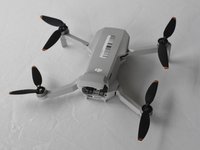
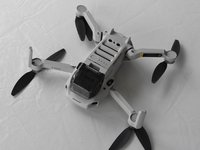
Go to step 1 ↓We are defining the DJI Mini 2 drone body as the top and bottom plastic panels of the drone. These panels are the blockaded between the insides of the drone and the outside world.
The drone body stores the inner electronic parts of the drone like the GPS, the Main Board, and the wires the drone uses. Damage to the drone body can cause the drone to be unstable in flight. If the body of the drone is damaged they will need to be replaced.
What you need
Tools


-
-
-
Face the DJI Mini 2 away from you so that you are looking at the charging ports.
-
Use your finger to open up the back panel.
 Ask FixBot
-
-
-
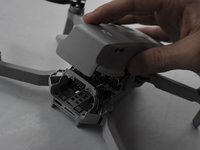
Pinch the locking mechanism on the battery to release the lock.
-
Pull the battery straight out of the compartment.
-
-
-
-
-
Unfold the wings of the drone.
-
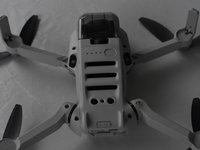
Place the drone upside down on a flat surface.
-
-
-
Flip the drone back over.
-
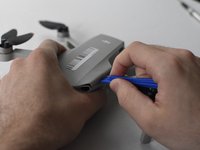
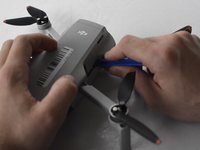
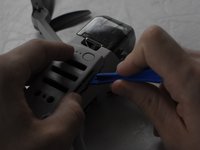
Use a combination of the opening tool and your fingers to pry open the top panel of the drone along the seams.
-
-
-
-
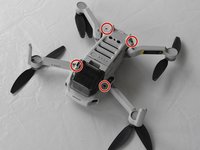
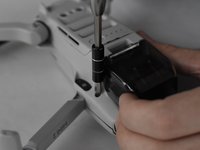
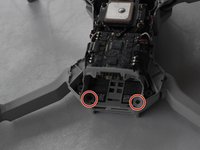
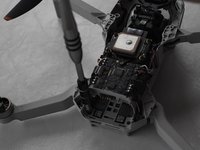
Remove the two 5 mm J000 screws located in the battery hatch and near the ports on the back of the drone.
-
-
-
Flip the drone over again.
-
Pry off the bottom panel of the drone using the opening tools and your fingers.
-
-










To reassemble your device, follow these instructions in reverse order.
Cancel: I did not complete this guide.
13 other people completed this guide.

Team

UMass Dartmouth, Team F-1, Gurgel Spring 2022 Member of UMass Dartmouth, Team F-1, Gurgel Spring 2022
UMASSD-GURGEL-S22SFG1
2 Members
72 Guides authored
4 Guide Comments
Where to buy a new drone body ?
Bonjour je suis novice ici j'aime beaucoup se que vous faites et je me demandais comment. M'inscrire ou vous rejoindre
