
DBPOWER RD-810 Imager Replacement

John Russell and one other contributor
Last updated on May 28, 2018
Views: 973
View statistics:
- Past 24 Hours:
- 0
- Past 7 Days:
- 10
- Past 30 Days:
- 59
- All Time:
- 973
Comments: 2
2 comments on steps.
Completed: 2 3
2 people have marked this guide "completed." Will you be next?
3 people have marked this guide "completed." Including you — great job!
Favorites: 0 1
No one has favorited (and subscribed to) this guide. Will you be the first?
1 person has favorited (and subscribed to) this guide — and that's you!
Introduction
Go to step 1 ↓The imager creates the picture that the projector displays. Because any dust or dirt stuck to the imager could cause distortions, it is important to keep the imager clean. If the image is not being displayed or is blurry or distorted, the imager may need to be cleaned or replaced.
What you need
Tools


-
-
-
Place the projector upside down to access the screws on the bottom.
-
Remove the five 7mm long screws using a #3 Phillips screwdriver at least 2 inches long.
 Ask FixBot
-
-
-
-
-
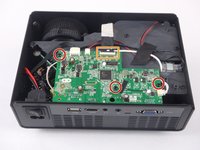
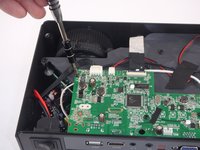
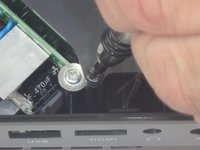
Remove the three 6mm PH2 phillips head screws.
-
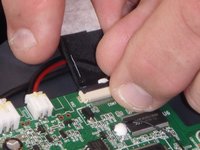
Disconnect the ribbon cable by flipping up the latch on the connector and then pull the ribbon out.
-
-
-
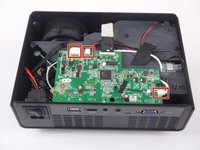
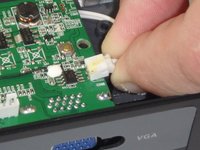
Disconnect the three wire connectors. Grasp both sides of the connector and pull apart.
-
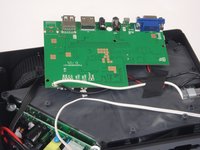
Lift the motherboard up and place it out of the way.
-
-
-
-
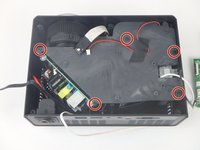
Remove the five 7mm PH2 phillips head screws on the black plate and lift the plate out.
-
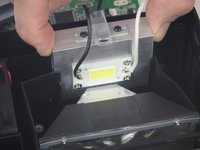
Lift the aluminum heat sink up to remove it from the projector.
-
-
-







To reassemble your device, follow these instructions in reverse order.
Cancel: I did not complete this guide.
2 other people completed this guide.

Team

USF Tampa, Team S5-G3, Eyestone Spring 2018 Member of USF Tampa, Team S5-G3, Eyestone Spring 2018
USFT-EYESTONE-S18S5G3
3 Members
108 Guides authored
