D-Link dir-645 Disassembly

Endorph and 2 other contributors
Last updated on Jul 31, 2024
Views: 863
View statistics:
- Past 24 Hours:
- 1
- Past 7 Days:
- 11
- Past 30 Days:
- 83
- All Time:
- 863
Comments: 0
No one has left comments on this guide. Will you be first?
Go to guide commentsCompleted: 2 3
2 people have marked this guide "completed." Will you be next?
3 people have marked this guide "completed." Including you — great job!
Favorites: 0 1
No one has favorited (and subscribed to) this guide. Will you be the first?
1 person has favorited (and subscribed to) this guide — and that's you!
Markup Mishap
This guide needs better markups. Help out by correcting or making some markup annotations.
Community-Contributed Guide
An awesome member of our community made this guide. It was not created by iFixit staff.
Better Introduction
Improve this guide by completing or revising its introduction.
What you need
Tools

-
-
-
Bottom: unscrew the two philips screws . Note: this probably voids any warranty
-
-
-
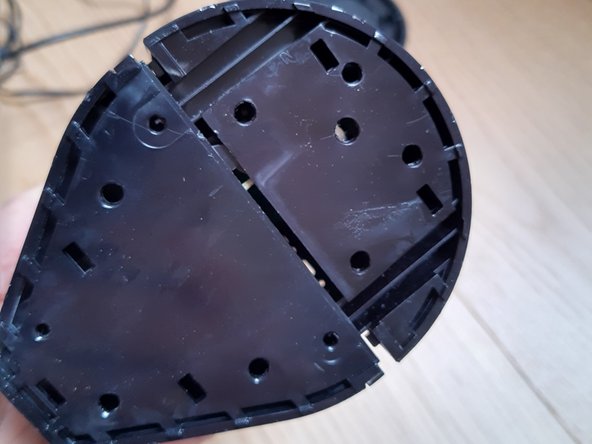
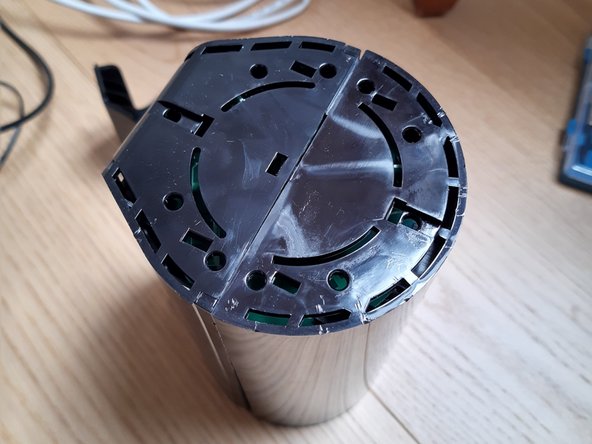
Start to pry at the bottom.
-
Work your way around until it comes off.
-
-
-
-
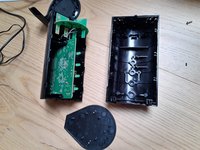
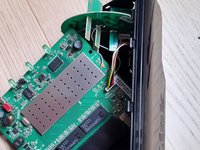
The inside consists of the main board ant the antenna, that's it.
-
The 360 deg antenna is connected to the main board with Hirose U.FL connectors and can be easily removed. https://en.wikipedia.org/wiki/Hirose_U.F...
-

 Ask FixBot




To reassemble your device, follow these instructions in reverse order.
Cancel: I did not complete this guide.
2 other people completed this guide.