Introduction
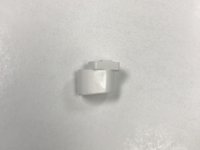
Use this guide to replace the "Chop" and "Grind" buttons located on the Cuisinart Mini-Prep DLC-2A.
What you need
-
-
-
Remove the back panel using a Phillips #1 Screwdriver on the four screws that hold it in place.
 Ask FixBot
-
-
-
-
-
Locate the Button Panel inside the blender.
-
Using your Phillips #1 Screwdriver, remove the two screws which hold the panel in place.
-
-
-
-
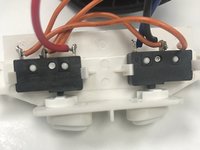
Locate the black box held in place on the panel.
-
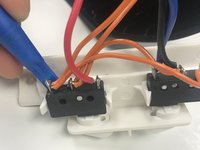
Using your Spudger, wedge the black box out of its place to uncover the button
-
-
-
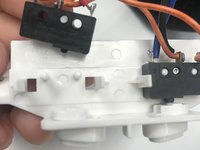
Once the black box is out of place, use your finger to push out the button.
-
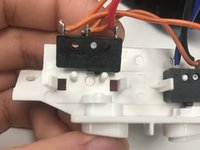
Now replace the old button with your newly acquired button.
-
-




To reassemble your device, follow these instructions in reverse order.
Cancel: I did not complete this guide.
One other person completed this guide.

Team

University of North Texas, Team S3-G1, Thompson Fall 2017 Member of University of North Texas, Team S3-G1, Thompson Fall 2017
UNT-THOMPSON-F17S3G1
3 Members
48 Guides authored
