Free Shipping on Domestic Orders $75+

CrystalView NB4-35788 Battery Replacement

What you need

    1. CrystalView NB4-35788 Battery Replacement, Battery: step 1, image 1 of 1
      • Power off the device before beginning disassembly.

      • Using a Phillips #00 Screwdriver, take out the following screws:

      • Two 6 mm screws

      • Three 4 mm screws

      • Four 3 mm screws

      • These screws can be taken out in any order.

      Ask FixBot

      Add Comment

    2. CrystalView NB4-35788 Battery Replacement: step 2, image 1 of 1
      • Using a Phillips #00 Screwdriver, remove the screws located under the top two standoffs.

      Ask FixBot

      Add Comment

    3. CrystalView NB4-35788 Battery Replacement: step 3, image 1 of 1
      • Remove the cover off the back of the device.

      Ask FixBot

      Add Comment

    4. CrystalView NB4-35788 Battery Replacement: step 4, image 1 of 1
      • Remove the battery using a plastic spudger.

      • Do not use a metal spudger, as this can damage the device.

      Ask FixBot

      Add Comment

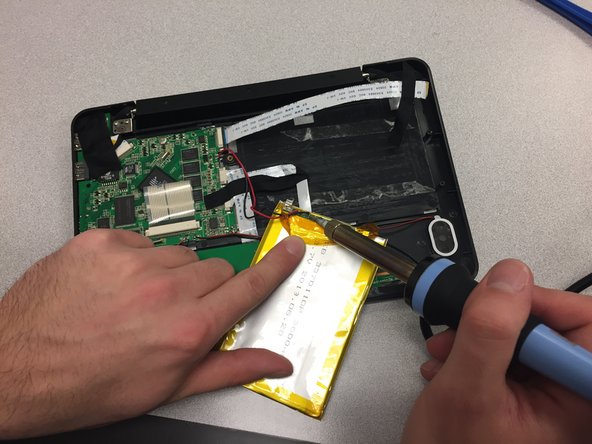
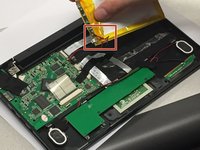
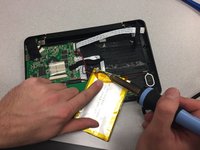
    5. CrystalView NB4-35788 Battery Replacement: step 5, image 1 of 2 CrystalView NB4-35788 Battery Replacement: step 5, image 2 of 2
      • Peel back the yellow film on the old battery to expose the red and black wires

      • De-solder these wires to disconnect the old battery

      • Be careful while using a soldering iron as it is extremely hot.

      • Follow the How To Solder and Desolder Connections guide for help.

      Ask FixBot

      Add Comment

Conclusion

To reassemble your device, follow these instructions in reverse order.

Cancel: I did not complete this guide.

Courtney Clark

Member since: 01/12/17

218 Reputation

2 Guides authored

0 Guide Comments

Add Comment

View Statistics:

Past 24 Hours: 2

Past 7 Days: 4

Past 30 Days: 24

All Time: 537