
Creative Zen Vision W Battery Replacement

Tim Wilson and 8 other contributors
Last updated on Jan 3, 2024
Views: 7.5K
View statistics:
- Past 24 Hours:
- 6
- Past 7 Days:
- 39
- Past 30 Days:
- 164
- All Time:
- 7,541
Comments: 4
1 comment on steps, 3 guide comments.
Go to guide commentsCompleted: 2 3
2 people have marked this guide "completed." Will you be next?
3 people have marked this guide "completed." Including you — great job!
Favorites: 1 2
1 person has favorited (and subscribed to) this guide. Will you be next?
2 people have favorited (and subscribed to) this guide — including you!
Introduction
Go to step 1 ↓The Creative Zen Vision W was a very popular media player before they were discontinued. Since the media player is pretty old, its batteries may not be able to keep up anymore and may die as well. However, it may be slightly difficult to take the old battery out of the player itself, so that's where this guide comes in. This guide allows you to remove the older battery for replacement in the Creative Zen Vision W. Make sure to follow the step-by-step instructions carefully.
What you need
Tools

-
-
-
Push the black button and slide the battery casing to the left simultaneously, until the battery is completely separated from the device.
 Ask FixBot
-
-
-
-
-
Remove the three 4 mm exposed screws using a Phillips #0 screwdriver.
-
Peel off the the sticker that says "Creative Warranty Void if broken" and remove the 4 mm screw beneath with a Phillips #0 screwdriver.
-
-
-
-
Remove the battery from the casing by bending the sides. The battery should pop out. Be careful not to snap the case.
-
-


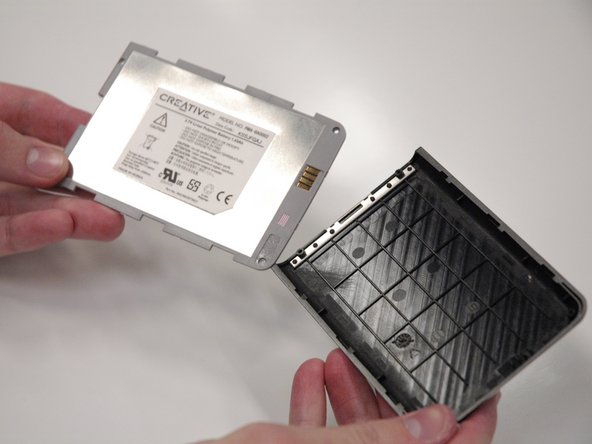
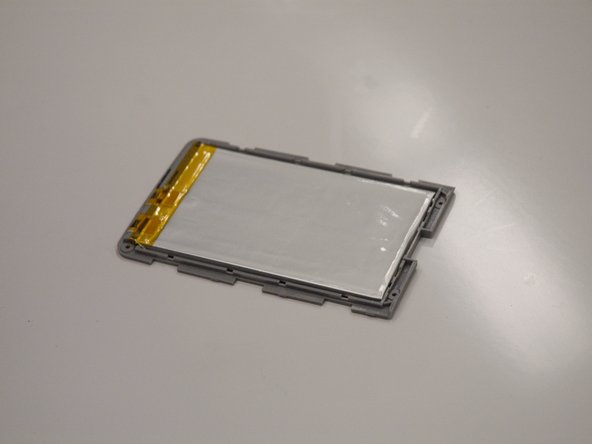
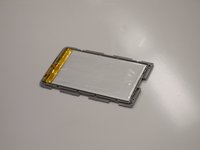
Follow these instructions in reverse order to reassemble your device.
Cancel: I did not complete this guide.
2 other people completed this guide.

Team

Cal Poly, Team 17-2, Regan Spring 2013 Member of Cal Poly, Team 17-2, Regan Spring 2013
CPSU-REGAN-S13S17G2
4 Members
96 Guides authored
3 Guide Comments
Can’t find a replacement battery nor the amp hours or wattage etc.. I’d even be ok with building a new housing to hold a larger battery, but I need the specs… I’ve got a vaccum table and can make a larger case to hold the battery.. But dang I’ve got to know how much power to provide to the unit and at how fast!
