
Craig CMP801 Back Cover Replacement

Duyen and 4 other contributors
Last updated on Jan 3, 2018
Views: 1.3K
View statistics:
- Past 24 Hours:
- 5
- Past 7 Days:
- 22
- Past 30 Days:
- 104
- All Time:
- 1,263
Comments: 1
1 guide comment.
Go to guide commentsCompleted: 2 3
2 people have marked this guide "completed." Will you be next?
3 people have marked this guide "completed." Including you — great job!
Favorites: 0 1
No one has favorited (and subscribed to) this guide. Will you be the first?
1 person has favorited (and subscribed to) this guide — and that's you!
Introduction
Go to step 1 ↓Use the metal or nylon opening tool(s) to remove the back cover.
What you need
Tools

-
-
-
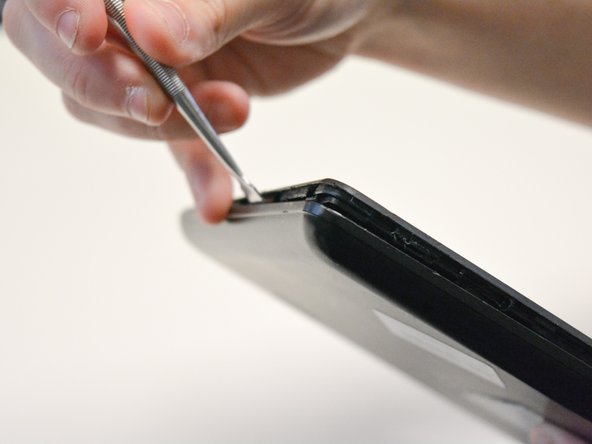
Locate the opening line between the cover and the device. Then locate the groove near the charging port.
 Ask FixBot
-
-
-
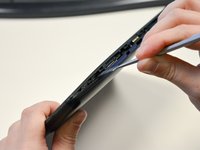
Use a metal spudger to separate the back cover from the front touch screen.
-
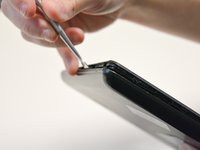
To do this, place the metal spudger in between the groove near the charging port of the device to unlatch the first clip.
-
-
-
-
Continue to separate all of the clips around the device until the back cover comes off completely.
-
-


To reassemble your device, follow these instructions in reverse order.
Cancel: I did not complete this guide.
2 other people completed this guide.

Team

University of North Texas, Team S2-G2, Thompson Fall 2017 Member of University of North Texas, Team S2-G2, Thompson Fall 2017
UNT-THOMPSON-F17S2G2
4 Members
60 Guides authored
1 Guide Comment
Como puedo habilitarle lo puerto usb ya k por error lo deshabilita en la bio y ahora me esta dando el error shell2.40 y no me funciona ni el clado ni el mouse en mi icraig cmp 801 bun
