
Connect Four Electronic Handheld Speaker Replacement

Last updated on Jan 11, 2015
Views: 826
View statistics:
- Past 24 Hours:
- 2
- Past 7 Days:
- 16
- Past 30 Days:
- 79
- All Time:
- 826
Comments: 0
No one has left comments on this guide. Will you be first?
Go to guide commentsCompleted: 1 2
1 person has marked this guide "completed." Will you be next?
2 people have marked this guide "completed." Including you — great job!
Favorites: 0 1
No one has favorited (and subscribed to) this guide. Will you be the first?
1 person has favorited (and subscribed to) this guide — and that's you!
Introduction
Go to step 1 ↓If your Connect Four Electronic Handheld does not make any sound, you may need to replace the speaker. This replacement guide will show you how to remove the back casing and remove the speaker. In addition, this guide will also show you how to re-solder the speaker wires.
What you need
Parts
Tools


-
-
-
Make sure the Connect Four Electronic Handheld is off by allowing it to shut off automatically.
 Ask FixBot
-
-
-
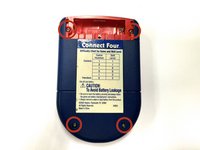
Using a Phillips head screwdriver, remove the (9.1mm length) #2 screw in the middle of the battery casing.
-
Slide the cover off and remove the battery.
-
-
-
-
-
-
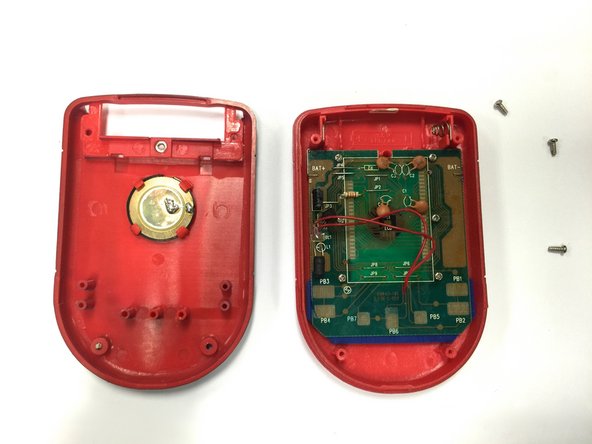
Using a Phillips head screwdriver, remove the four (7.1mm- length) #3 screws that hold the back casing in place.
-
Carefully remove the back casing.
-
-
-
-
-
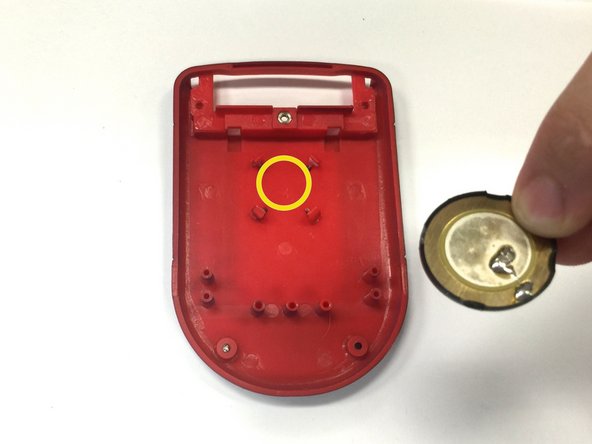
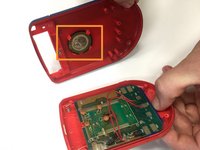
Locate the speaker on the back casing.
-
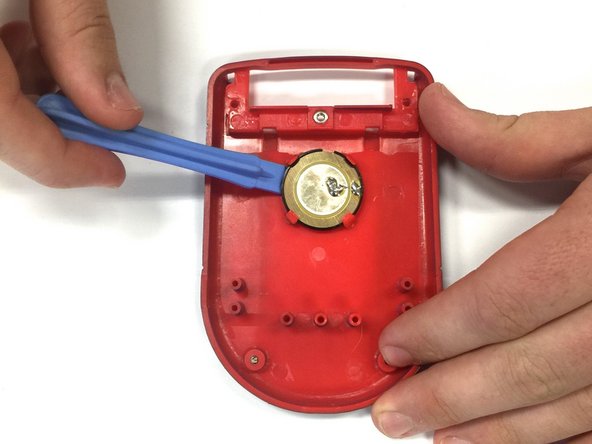
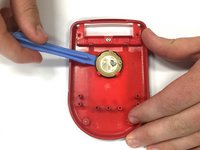
Using a spudger, wedge the speaker out of its place until it slides out.
-
Take the replacement speaker and wedge it back into its space.
-
-
-
Using a soldering iron, solder both red wires to their appropriate connections.
-
-




To reassemble your device, follow these instructions in reverse order.
Cancel: I did not complete this guide.
One other person completed this guide.

Team

Baylor, Team 8-11, Williams Fall 2014 Member of Baylor, Team 8-11, Williams Fall 2014
BU-WILLIAMS-F14S8G11
3 Members
72 Guides authored
