
Compaq Presario v2000 Hard drive Replacement

Andrew and one other contributor
Last updated on Sep 26, 2013
Views: 11K
View statistics:
- Past 24 Hours:
- 4
- Past 7 Days:
- 32
- Past 30 Days:
- 115
- All Time:
- 11,436
Comments: 1
1 guide comment.
Go to guide commentsCompleted: 4 5
4 people have marked this guide "completed." Will you be next?
5 people have marked this guide "completed." Including you — great job!
Favorites: 8 9
8 people have favorited (and subscribed to) this guide. Will you be next?
9 people have favorited (and subscribed to) this guide — including you!
Community-Contributed Guide
An awesome member of our community made this guide. It was not created by iFixit staff.
What you need
Tools

-
-
-
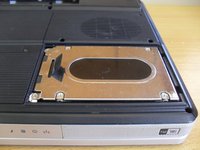
Loosen the two screw for the hard drive cover
-
Lift the cover from the left side and remove
-
-
-
-
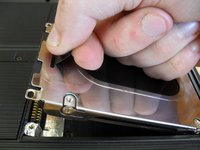
Lift the black pull tab on the hard drive
-
Lift the drive straight up out of the laptop
-
-
-
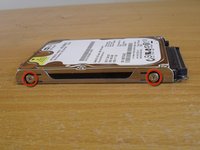
Remove the four screws on the sides of the drive (two on each side)
-
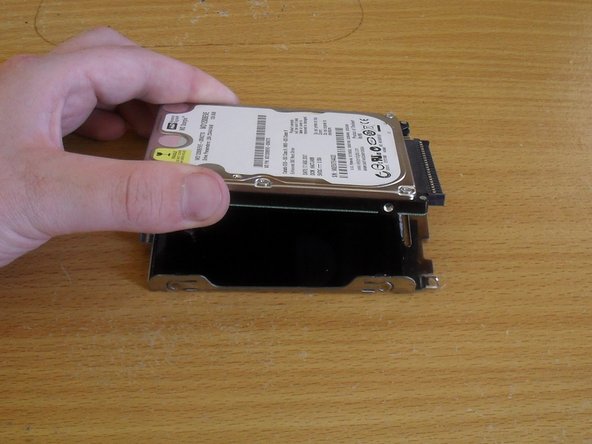
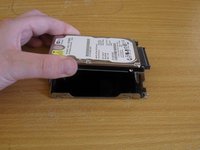
Remove the hard drive from the caddy
-

 Ask FixBot




To reassemble your device, follow these instructions in reverse order.
Cancel: I did not complete this guide.
4 other people completed this guide.

1 Guide Comment
Perfect instructions....easy directions even for a computer dunce like me...
