
Comfort Zone CZ6C Power Cable Replacement

Nishanth Dara and 5 other contributors
Last updated on Jan 9, 2020
Views: 3.6K
View statistics:
- Past 24 Hours:
- 3
- Past 7 Days:
- 16
- Past 30 Days:
- 89
- All Time:
- 3,574
Comments: 0
No one has left comments on this guide. Will you be first?
Go to guide commentsCompleted: 0 1
No one has marked this guide "completed." Will you be the first?
1 person has marked this guide "completed." It's you — great job!
Favorites: 3 4
3 people have favorited (and subscribed to) this guide. Will you be next?
4 people have favorited (and subscribed to) this guide — including you!
Step Trimmer
This guide has unnecessary steps. Trim them to be more concise!
Introduction
Go to step 1 ↓Learn how to properly replace the power cable of your Comfort Zone CZ6C.
What you need
Tools


-
-
-
Start with the fan on its back. Unscrew the back panel to expose the internal wiring.
 Ask FixBot
-
-
-
Unscrew the yellow cap that connects the black wire and the gray power cord wire. Then, unwind the tied wires and pull them apart.
-
-
-
Remove the plastic cover on the switch by pulling it apart from the back panel.
-
-
-
Disconnect the gray power wire from the switch by desoldering the connection.
-
-
-
-
Strip the end of the gray power cord.
-
Then solder the end of the gray power cord to the switch.
-
-


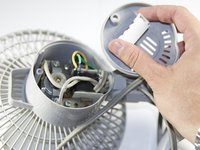
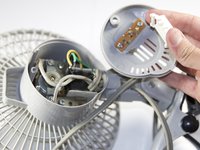


To reassemble your device, follow these instructions in reverse order.

Team

Cal Poly, Team 17-5, Forte Spring 2015 Member of Cal Poly, Team 17-5, Forte Spring 2015
CPSU-FORTE-S15S17G5
4 Members
60 Guides authored
