Free Shipping on Domestic Orders $75+

ComNet Ericsson Panther 600P Exterior Case Disassembly

What you need

  1. ComNet Ericsson Panther 600P Exterior Case Disassembly, Locate the release button.: step 1, image 1 of 3 ComNet Ericsson Panther 600P Exterior Case Disassembly, Locate the release button.: step 1, image 2 of 3 ComNet Ericsson Panther 600P Exterior Case Disassembly, Locate the release button.: step 1, image 3 of 3
    • Look for the release button on the back of the radio.

    • Press the button and pull down on the battery at the same time. The battery will come free.

    Ask FixBot

    Add Comment

  2. ComNet Ericsson Panther 600P Exterior Case Disassembly, Antenna: step 2, image 1 of 1
    • Twist the antenna counter-clockwise to unscrew it from the antenna jack.

    Ask FixBot

    Add Comment

  3. ComNet Ericsson Panther 600P Exterior Case Disassembly, Dials: step 3, image 1 of 1
    • Pull up on the dials to remove them from the underlying pegs.

    Ask FixBot

    Add Comment

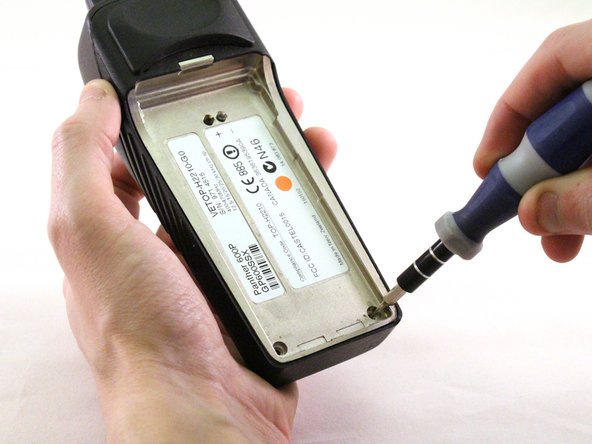
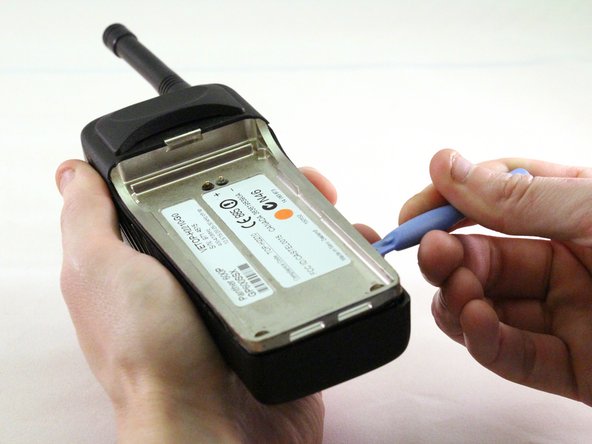
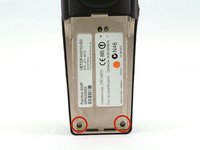
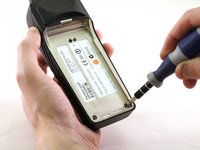
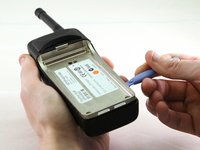
  4. ComNet Ericsson Panther 600P Exterior Case Disassembly, Exterior Case: step 4, image 1 of 3 ComNet Ericsson Panther 600P Exterior Case Disassembly, Exterior Case: step 4, image 2 of 3 ComNet Ericsson Panther 600P Exterior Case Disassembly, Exterior Case: step 4, image 3 of 3
    • Using a T15 Torx screwdriver, unscrew the two screws.

    • Using a plastic opening tool, pry the internal case from the external case.

    Ask FixBot

    Add Comment

Conclusion

To reassemble your device, follow these instructions in reverse order.

Cancel: I did not complete this guide.

0 Guide Comments

Add Comment

View Statistics:

Past 24 Hours: 0

Past 7 Days: 7

Past 30 Days: 19

All Time: 362