Introduction
Power not reaching your motherboard? Does the lantern not illuminate even though its been charged? Check out this guide on how to remove and replace the battery!
What you need
-
-
Carefully turn the lantern upside down.
-
Remove the three 1.2 mm Phillips #0 screws from the base of the lantern.
 Ask FixBot
-
-
-
-
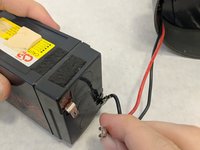
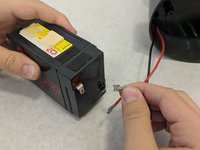
Carefully detach the negative wire from the battery terminal first.
-
Next, detach the positive wire from the battery terminal.
-


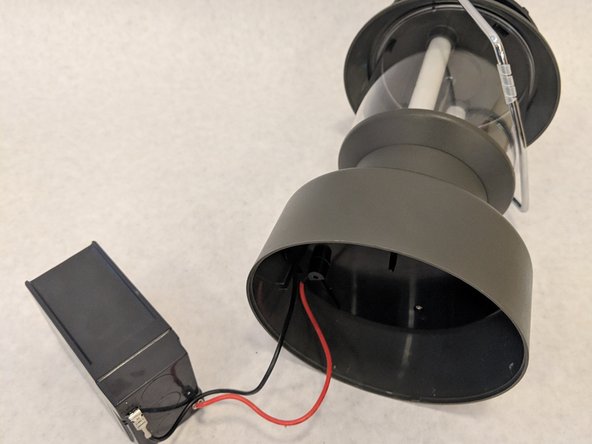
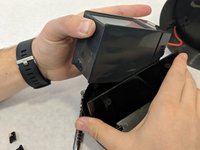
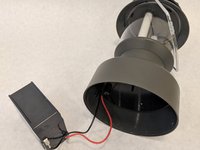


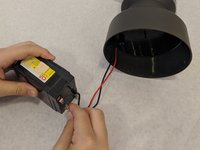
To reassemble your device, follow these instructions in reverse order.

Team

Washington State, Team S2-G1, Hope Fall 2018 Member of Washington State, Team S2-G1, Hope Fall 2018
WSU-HOPE-F18S2G1
4 Members
8 Guides authored
2 Guide Comments
Sean, I’m facing a dead battery in my Coleman twin tube fluorescent lantern also. Your directions are spot on except my battery seems to be glued in with super glue! I’ve tried a heat gun and all my strength but my battery won’t come loose. I find it hard to pry under the battery because of the shape of the plastic partitions around the battery. How did you get the battery unstuck?
In case anybody else is trying to do this, I used fishing line and Goo Gone to release the two sticky pads holding the battery in place. You need to be careful though because the friction of the fishing line could cut into the edge of the plastic base. Took me probably 30 minutes of working at it to get it to release.
