Free Shipping on Domestic Orders $75+

Coby DVD-R11000 I/O Ports Replacement

What you need

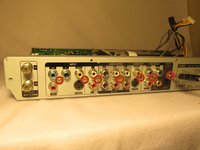
    1. Coby DVD-R11000 I/O Ports Replacement, Outer Casing: step 1, image 1 of 3 Coby DVD-R11000 I/O Ports Replacement, Outer Casing: step 1, image 2 of 3 Coby DVD-R11000 I/O Ports Replacement, Outer Casing: step 1, image 3 of 3
      • Remove the four 1cm screws, two on each side, of the DVD player with the Phillips #1 screwdriver.

      • Remove the five 1cm screws on the back of the DVD player with the Phillips #1 screwdriver.

      • It is not required to remove the other seven screws in the middle between the I/O ports.

      Ask FixBot

      Add Comment

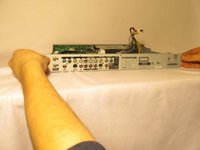
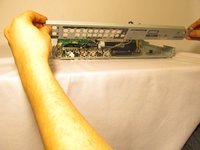
    2. Coby DVD-R11000 I/O Ports Replacement: step 2, image 1 of 3 Coby DVD-R11000 I/O Ports Replacement: step 2, image 2 of 3 Coby DVD-R11000 I/O Ports Replacement: step 2, image 3 of 3
      • Position the DVD player so that the back is facing you

      • Grab underneath the sides of the DVD player and lift the front of it upwards.

      • Carefully pull the top of the casing off

      Ask FixBot

      Add Comment

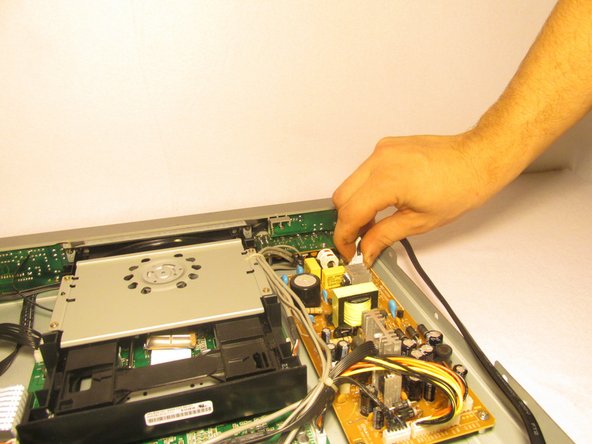
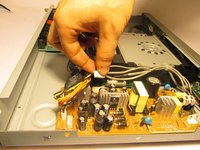
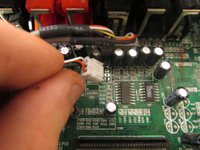
    1. Coby DVD-R11000 I/O Ports Replacement, 3-Pin Power Cable: step 3, image 1 of 2 Coby DVD-R11000 I/O Ports Replacement, 3-Pin Power Cable: step 3, image 2 of 2
      • Gently pinch the 3-pin white adapter of the wire connecting the power cord to the circuit board.

      • Remove the wire from the circuit board.

      Ask FixBot

      Add Comment

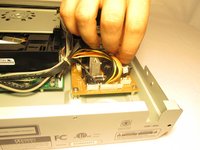
    1. Coby DVD-R11000 I/O Ports Replacement, Circuit Boards: step 4, image 1 of 2 Coby DVD-R11000 I/O Ports Replacement, Circuit Boards: step 4, image 2 of 2
      • Position the DVD player so that the side with golden circuit board, where the power cord was plugged into, is closest to you.

      • Remove the black wire with the 6-pin white adapter, which is adjacent to the other three pin adapter wires on the golden circuit board.

      Ask FixBot

      Add Comment

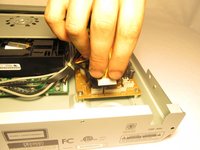
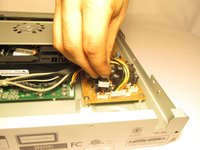
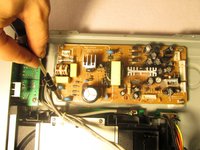
    2. Coby DVD-R11000 I/O Ports Replacement: step 5, image 1 of 3 Coby DVD-R11000 I/O Ports Replacement: step 5, image 2 of 3 Coby DVD-R11000 I/O Ports Replacement: step 5, image 3 of 3
      • Position the DVD player so that the back panel is facing you.

      • Remove the three wires with the white pin adapters from the golden circuit board.

      Ask FixBot

      Add Comment

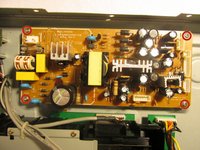
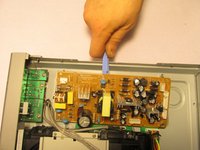
    3. Coby DVD-R11000 I/O Ports Replacement: step 6, image 1 of 3 Coby DVD-R11000 I/O Ports Replacement: step 6, image 2 of 3 Coby DVD-R11000 I/O Ports Replacement: step 6, image 3 of 3
      • Remove the four half inch screws, located at each corner of the golden circuit board, using the Phillips #1 screwdriver.

      • Place the blue plastic tool opener underneath the side of the circuit board and carefully remove it from the DVD player.

      Ask FixBot

      Add Comment

    4. Coby DVD-R11000 I/O Ports Replacement: step 7, image 1 of 3 Coby DVD-R11000 I/O Ports Replacement: step 7, image 2 of 3 Coby DVD-R11000 I/O Ports Replacement: step 7, image 3 of 3
      Tool used on this step:
      Tweezers
      $4.99
      Buy
      • Position the DVD player so that the front is facing you.

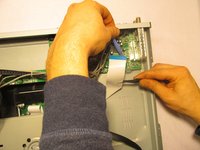
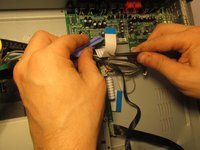
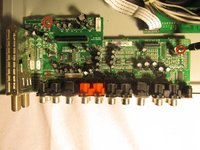
      • Using the tweezers and the blue plastic opening tool, disconnect the ribbon cables from the green circuit board where the I/O ports are attach to.

      Ask FixBot

      Add Comment

    5. Coby DVD-R11000 I/O Ports Replacement: step 8, image 1 of 3 Coby DVD-R11000 I/O Ports Replacement: step 8, image 2 of 3 Coby DVD-R11000 I/O Ports Replacement: step 8, image 3 of 3
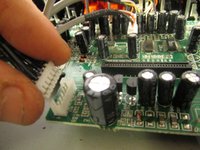
      • Remove the three wires with the white pin adapters from the green circuit board that you just disconnected the ribbon wires from.

      Ask FixBot

      Add Comment

    6. Coby DVD-R11000 I/O Ports Replacement: step 9, image 1 of 3 Coby DVD-R11000 I/O Ports Replacement: step 9, image 2 of 3 Coby DVD-R11000 I/O Ports Replacement: step 9, image 3 of 3
      • Remove the seven 1cm screws located on the back panel of the outer casing, in between the I/O ports, with the Phillips #1 screwdriver

      • Grab the sides of the back panel and remove it from the DVD player.

      Ask FixBot

      Add Comment

    7. Coby DVD-R11000 I/O Ports Replacement: step 10, image 1 of 2 Coby DVD-R11000 I/O Ports Replacement: step 10, image 2 of 2
      • Remove the two 1cm screws that are circled in red.

      • Place the blue plastic tool opener underneath the side of the circuit board and carefully remove it from the DVD player.

      Ask FixBot

      Add Comment

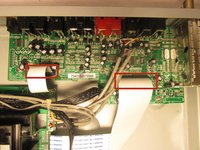
    1. Coby DVD-R11000 I/O Ports Replacement, I/O Ports: step 11, image 1 of 1
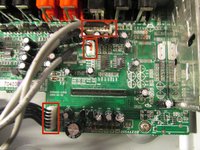
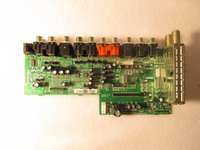
      • De-solder the electrical components contained in the red rectangles from the green circuit board, which is the second one you removed.

      • Each red rectangle contains the electrical components for a specific group of I/O ports

      Ask FixBot

      Add Comment

Conclusion

To reassemble your device, follow these instructions in reverse order.

Cancel: I did not complete this guide.

Andrew

Member since: 10/22/14

501 Reputation

5 Guides authored

Team

UMass Dartmouth, Team 1-6, Shastany Fall 2014 Member of UMass Dartmouth, Team 1-6, Shastany Fall 2014

UMASSD-SHASTANY-F14S1G6

4 Members

60 Guides authored

0 Guide Comments

Add Comment

View Statistics:

Past 24 Hours: 0

Past 7 Days: 1

Past 30 Days: 19

All Time: 435