Free Shipping on Domestic Orders $75+

Circo Monkey Alarm Clock Motor Replacement

Views: 1.8K

View statistics:

Past 24 Hours:
2
Past 7 Days:
21
Past 30 Days:
102
All Time:
1,777
Comments: 0

No one has left comments on this guide. Will you be first?

Go to guide comments
Completed: 3

3 people have marked this guide "completed." Will you be next?

Favorites: 1

1 person has favorited (and subscribed to) this guide. Will you be next?

Time Required: 15 minutes
Difficulty: Easy
Circo Monkey Alarm Clock Motor Replacement

What you need

Tools

    1. Circo Monkey Alarm Clock Motor Replacement, Screw Removal: step 1, image 1 of 2 Circo Monkey Alarm Clock Motor Replacement, Screw Removal: step 1, image 2 of 2
      • Remove all six 7.3 mm screws with a #00 Phillips head screwdriver.

      Ask FixBot

      Add Comment

    2. Circo Monkey Alarm Clock Motor Replacement, Splitting the Shell in Half: step 2, image 1 of 1
      • Firmly pull each half apart.

      Ask FixBot

      Add Comment

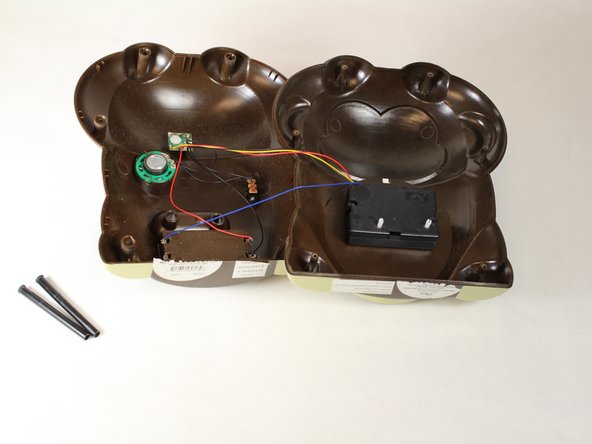
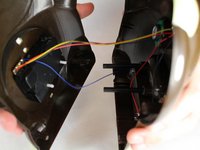
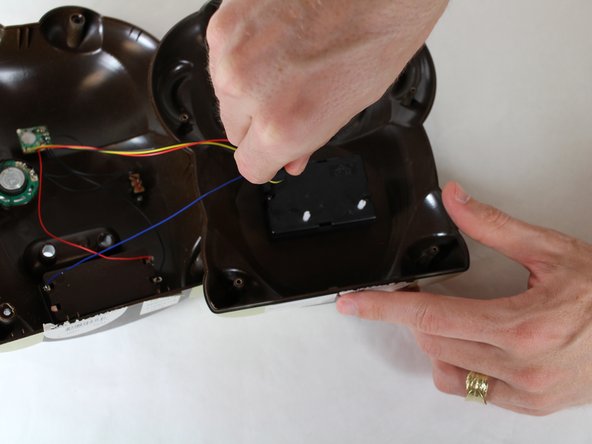
    1. Circo Monkey Alarm Clock Motor Replacement, Clock Motor: step 3, image 1 of 2 Circo Monkey Alarm Clock Motor Replacement, Clock Motor: step 3, image 2 of 2
      • Once the clock is apart, carefully pull both halves until the clock is in two separate halves.

      Ask FixBot

      Add Comment

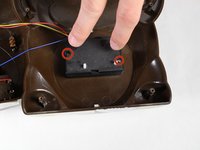
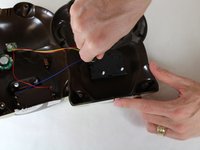
    2. Circo Monkey Alarm Clock Motor Replacement: step 4, image 1 of 2 Circo Monkey Alarm Clock Motor Replacement: step 4, image 2 of 2
      • Unscrew the two 2 mm screws with a #00 Phillips Head screwdriver.

      Ask FixBot

      Add Comment

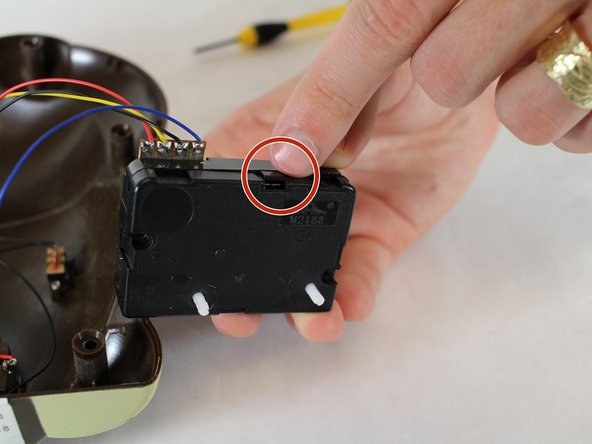
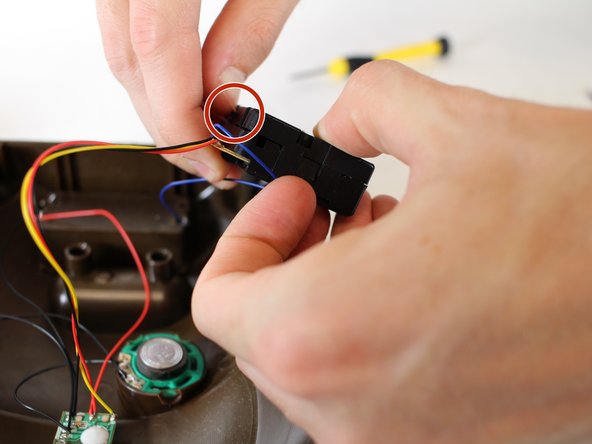
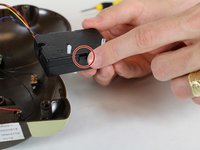
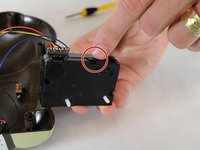
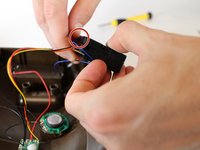
    3. Circo Monkey Alarm Clock Motor Replacement: step 5, image 1 of 3 Circo Monkey Alarm Clock Motor Replacement: step 5, image 2 of 3 Circo Monkey Alarm Clock Motor Replacement: step 5, image 3 of 3
      • Pull off the clock motor housing and un-clip the 4 clips on each side.

      Ask FixBot

      Add Comment

    4. Circo Monkey Alarm Clock Motor Replacement: step 6, image 1 of 1
      • Repair any lose or misplaced gears or wiring.

      Ask FixBot

      Add Comment

Conclusion

To reassemble your device, follow these instructions in reverse order.

Cancel: I did not complete this guide.

3 other people completed this guide.

Frank

Member since: 01/20/15

151 Reputation

1 Guide authored

Team

USF Tampa, Team 19-1, Blackwell Winter 2015 Member of USF Tampa, Team 19-1, Blackwell Winter 2015

USFT-BLACKWELL-W15S19G1

4 Members

48 Guides authored

0 Guide Comments

Add Comment

View Statistics:

Past 24 Hours: 2

Past 7 Days: 21

Past 30 Days: 102

All Time: 1,777