
Chefman RJ38-V2-35 Timer Replacement

Robert Gates and 4 other contributors
Last updated on May 7, 2024
Views: 3K
View statistics:
- Past 24 Hours:
- 4
- Past 7 Days:
- 17
- Past 30 Days:
- 86
- All Time:
- 3,037
Comments: 0
No one has left comments on this guide. Will you be first?
Go to guide commentsCompleted: 2 3
2 people have marked this guide "completed." Will you be next?
3 people have marked this guide "completed." Including you — great job!
Favorites: 0 1
No one has favorited (and subscribed to) this guide. Will you be the first?
1 person has favorited (and subscribed to) this guide — and that's you!
Introduction
Go to step 1 ↓If the air fryer is not stopping at an allotted time for cooking, this guide is for you. This guide will work you through how to replace the timing system in the air fryer. It’s a semi long process, but not too challenging.
What you need
Tools


-
-
-
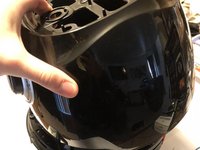
Using the plastic opening tool, pop off each of the four corners on the top silver plate.
 Ask FixBot
-
-
-
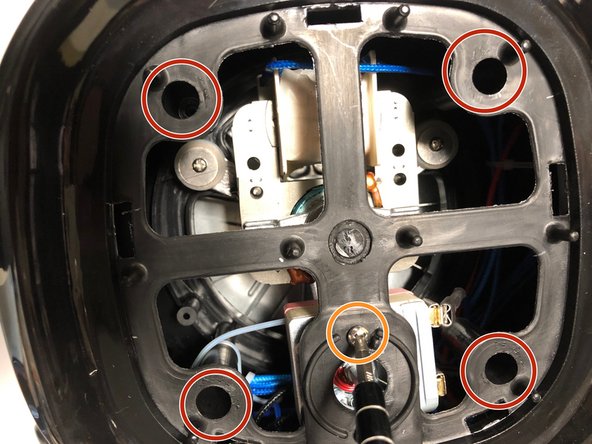
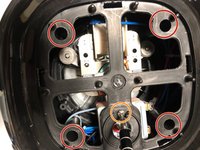
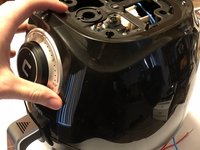
Using a Phillips #1 screwdriver, remove the four 4mm screws, one in each corner.
-
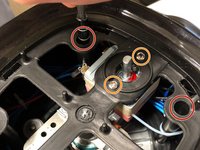
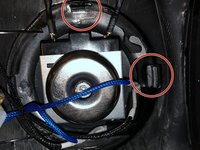
Also unscrew two 4mm screws.
-
-
-
Tool used on this step:Tweezers$4.99
-
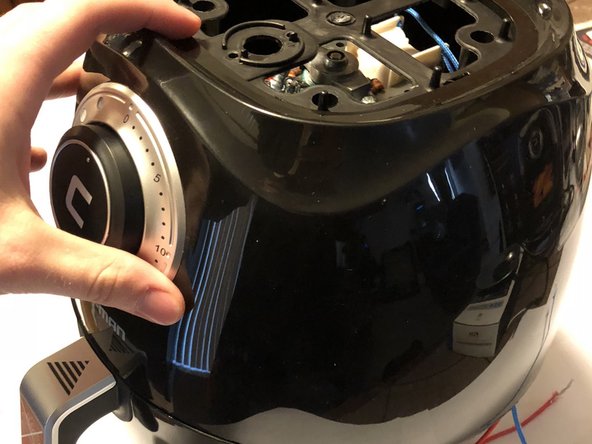
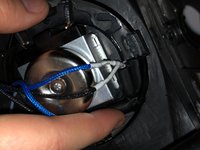
Pull cable from timer using either hands or tweezers.
-
-





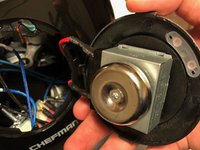

To reassemble your device, follow these instructions in reverse order.
Cancel: I did not complete this guide.
2 other people completed this guide.

Team

UW Tacoma, Team S1-G4, Rose Fall 2018 Member of UW Tacoma, Team S1-G4, Rose Fall 2018
UWT-ROSE-F18S1G4
4 Members
36 Guides authored
