
Ceiva LF2003 Internal Plastic Screen Frame Replacement

Casey Glasgow and one other contributor
Last updated on Mar 21, 2014
Views: 560
View statistics:
- Past 24 Hours:
- 2
- Past 7 Days:
- 28
- Past 30 Days:
- 93
- All Time:
- 560
Comments: 0
No one has left comments on this guide. Will you be first?
Go to guide commentsCompleted: 1 2
1 person has marked this guide "completed." Will you be next?
2 people have marked this guide "completed." Including you — great job!
Favorites: 0 1
No one has favorited (and subscribed to) this guide. Will you be the first?
1 person has favorited (and subscribed to) this guide — and that's you!
Introduction
Go to step 1 ↓Replacing the internal frame on this device is very simple and requires minimal disassembly.
What you need
Tools

-
-
-
Lay the device on its back, and rotate so the base is facing away from you.
 Ask FixBot
-
-
-
Grip the frame with your fingers under the edge of the frame, and thumbs pushing down on the front of the device.
-
-
-
-
Lift up the frame with your fingers and push down the rest of the device with your thumbs.
-
-
-
-
-
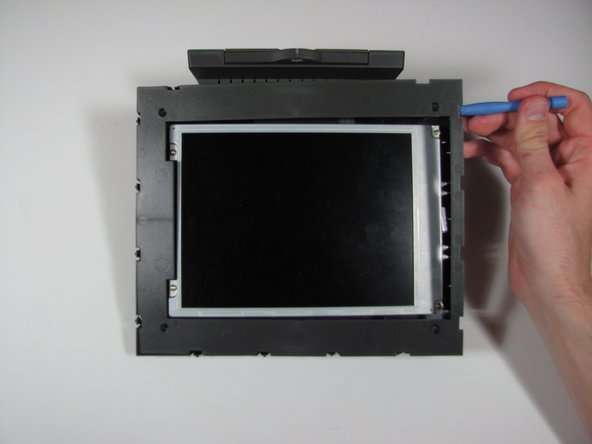
Using the plastic opening tool or your fingers, lift up the frame from any edge.
-
Remove the frame from the device.
-


To reassemble your device, follow these instructions in reverse order.
Cancel: I did not complete this guide.
One other person completed this guide.

Team

Cal Poly, Team 9-25, Maness Winter 2014 Member of Cal Poly, Team 9-25, Maness Winter 2014
CPSU-MANESS-W14S9G25
4 Members
60 Guides authored
