
Casio CZ-1000 Power Switch Replacement

Luke Farmer and 3 other contributors
Last updated on Jan 2, 2025
Views: 432
View statistics:
- Past 24 Hours:
- 1
- Past 7 Days:
- 9
- Past 30 Days:
- 61
- All Time:
- 432
Comments: 0
No one has left comments on this guide. Will you be first?
Go to guide commentsCompleted: 0 1
No one has marked this guide "completed." Will you be the first?
1 person has marked this guide "completed." It's you — great job!
Favorites: 0 1
No one has favorited (and subscribed to) this guide. Will you be the first?
1 person has favorited (and subscribed to) this guide — and that's you!
Introduction
Go to step 1 ↓The Casio CZ-1000 powers on with the flip of a switch. If you find that your Casio CZ-1000 does not power on due to a broken or malfunctioning power switch, follow this guide for a step-by-step on how to replace it. You’ll need to know how to use basic tools like a soldering iron and a lint-free cloth, as well as some patience if you are new to soldering.
What you need
Tools


-
-
-
Use a Phillips #1 screwdriver to remove the eleven 7.5 mm screws securing the back plate.
 Ask FixBot
-
-
-
Using a Phillips #1 screwdriver, remove all 14 5.5 mm screws from the two motherboards.
-
-
-
Carefully cut the zip tie located in the right-hand corner using a pair of scissors or wire cutters.
-
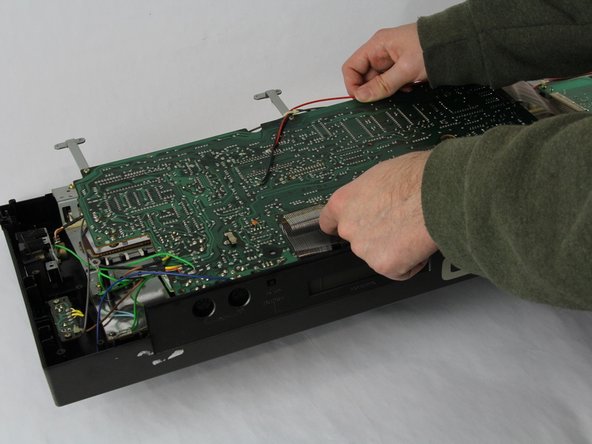
Gently slide all the plugs out of their sockets.
-
-
-
-
-
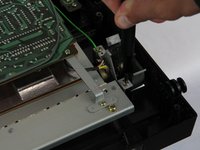
Remove the two 5.5 mm screws holding the power switch to the case using a Phillips #1 screwdriver.
-
-
-
-
Heat the soldering iron and use a desoldering braid or pump to remove the solder from the pins of the old switch.
-
Once the solder is removed, gently pull the old switch out of its place.
-
-






To reassemble your device, follow these instructions in reverse order.

Team

Cuesta, Team 60-3, Krynen Fall 2024 Member of Cuesta, Team 60-3, Krynen Fall 2024
CUESTA-KRYNEN-F24S60G3
4 Members
60 Guides authored
