
Casio CTK-501 LCD Screen Replacement

Jimmy Winne and 6 other contributors
Last updated on Feb 20, 2024
Views: 6.1K
View statistics:
- Past 24 Hours:
- 0
- Past 7 Days:
- 14
- Past 30 Days:
- 98
- All Time:
- 6,066
Comments: 4
1 comment on steps, 3 guide comments.
Go to guide commentsCompleted: 2 3
2 people have marked this guide "completed." Will you be next?
3 people have marked this guide "completed." Including you — great job!
Favorites: 1 2
1 person has favorited (and subscribed to) this guide. Will you be next?
2 people have favorited (and subscribed to) this guide — including you!
Missing Steps
Oops! This guide is currently missing one or more important steps.
Needs Better Images
Better photos will improve this guide. Help out by taking, editing, or uploading new ones!
Introduction
Go to step 1 ↓At some point during the use of your Casio CTK-501, you might encounter a time where the LCD screen starts to malfunction or in some cases just stop working. With this guide we will help you get to the screen, and show you how to replace it so that the screen can work like new.
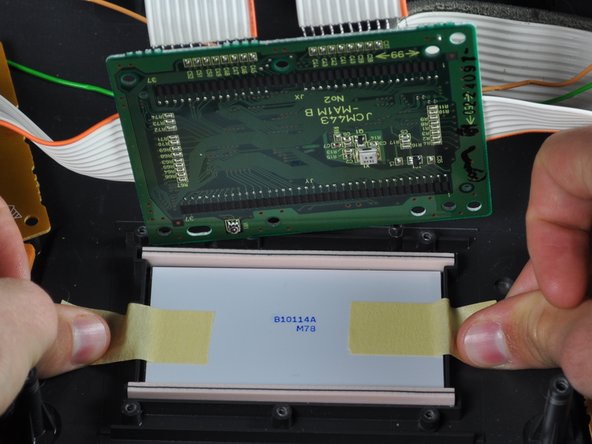
For this repair you will need a total of two things, a #2 Phillips head screwdriver, and two pieces of tape. If you're not sure if you have the right tools or if you're not sure where to get them, the links to both the tape and screwdriver have been provided.
Before starting on this guide, check again to see if the screen is working or not, power it on and off a couple times, and make sure it's connected to a power source. If the problem still persists and the screen isn't working, you can continue with the guide, but check and be sure that the device is completely powered off before starting to take it apart.
What you need
Tools
-
×2
-

-
-
-
Flip the keyboard over so that the bottom is facing up.
-
Remove the twenty-seven 12 mm screws from the dark-grey panel using a Phillips #2 screwdriver.
 Ask FixBot
-
-
-
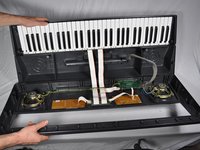
Flip open the top half of the keyboard.
-
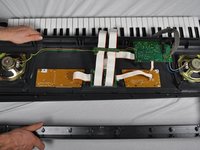
Set the keyboard onto the bottom half with the internal parts facing up.
-
-
-
-
-
Completely unscrew and remove all six of the screws on the central circuit board.
-
-
-
-
Place the circuit board back on top of the LCD screen.
-
Screw all of the screws completely in their original positions.
-
-




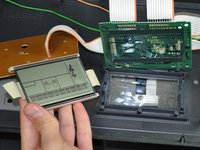
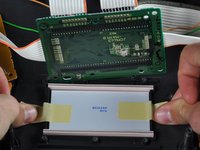

To reassemble your device, follow these instructions in reverse order.
Cancel: I did not complete this guide.
2 other people completed this guide.

Team

Cal Poly, Team 9-16, Amido Fall 2012 Member of Cal Poly, Team 9-16, Amido Fall 2012
CPSU-AMIDO-F12S9G16
4 Members
72 Guides authored
3 Guide Comments
Hi. Would this screen work for CTK 481?
hi. I have the ctk 4300. i would like to know where i can get one.Binitintimo@gmail.com
