
Casio CTK-3200 Side Panel Replacement

Connor Bentley and 3 other contributors
Last updated on Dec 31, 2024
Views: 312
View statistics:
- Past 24 Hours:
- 1
- Past 7 Days:
- 13
- Past 30 Days:
- 57
- All Time:
- 312
Comments: 0
No one has left comments on this guide. Will you be first?
Go to guide commentsCompleted: 0 1
No one has marked this guide "completed." Will you be the first?
1 person has marked this guide "completed." It's you — great job!
Favorites: 0 1
No one has favorited (and subscribed to) this guide. Will you be the first?
1 person has favorited (and subscribed to) this guide — and that's you!
Introduction
Go to step 1 ↓If your Casio keyboard (model CTK-3200) is having issues with faulty or broken speakers or keys, this is the second guide in fixing or replacing any of those issues.
Before using this guide, make sure to disconnect any external parts, tools, or modifiers from the keyboard's ports in order to make the removal process simpler. Only use the recommended tools for this project, any misuse of tools could result in injury. For more information on how to maintain project safety, see iFixit's Project Safety Page.
Before beginning, be sure that your keyboard is powered off, has no batteries, and is disconnected from any external power source.
What you need
Tools

-
-
-
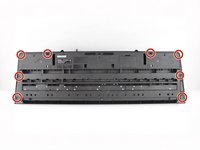
Remove the seven 10 mm Phillips #1 screws on the underside of the keyboard that secure the center front panel.
 Ask FixBot
-
-
-
Flip the keyboard over and remove the central panel on the front and place it above the keyboard.
-
-
-
-
-
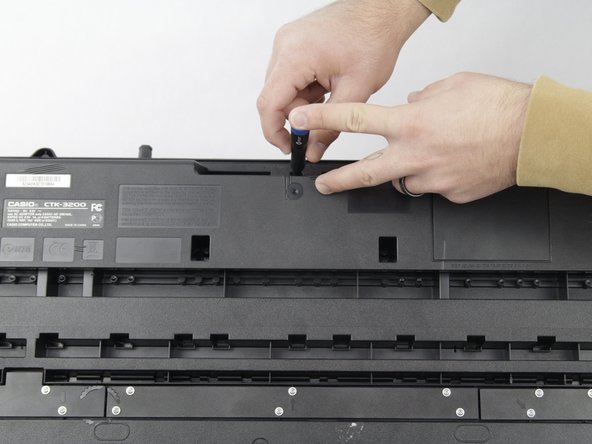
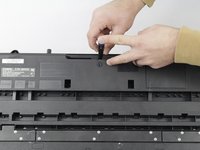
Remove all eight 10 mm Phillips #1 screws that secure the side panels.
-
-
-
-
Carefully remove one side panel at a time from the top of the keyboard and place it above the keyboard, making sure not to sever any connections between the yellow-colored mainboard and the side panels.
-
-



To reassemble your device, follow these instructions in reverse order.

Team

Cuesta, Team 10-4, Krynen Fall 2024 Member of Cuesta, Team 10-4, Krynen Fall 2024
CUESTA-KRYNEN-F24S10G4
4 Members
72 Guides authored
