Free Shipping on Domestic Orders $75+

Casio 3157 SGW-100 Battery Replacement

What you need

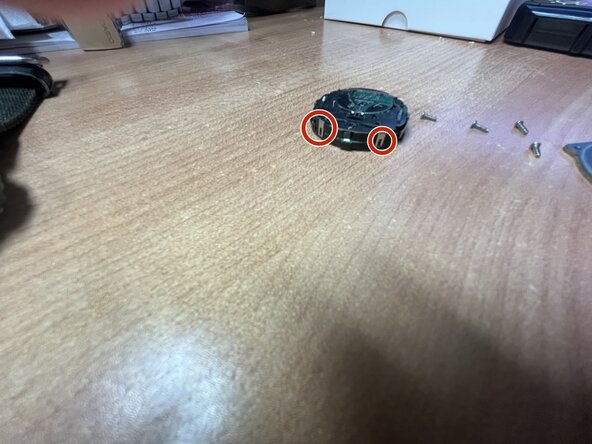
  1. Casio 3157 SGW-100 Battery Replacement, Unscrew the back panel: step 1, image 1 of 2 Casio 3157 SGW-100 Battery Replacement, Unscrew the back panel: step 1, image 2 of 2
    • Using a Phillips head unscrew the four screws holding on the caseback

    Ask FixBot
  2. Casio 3157 SGW-100 Battery Replacement, Remove the movement: step 2, image 1 of 1
    • Using tweezers gently lift up the movement out of the case

    Ask FixBot
  3. Casio 3157 SGW-100 Battery Replacement, Pry off the clips holding the movement together: step 3, image 1 of 3 Casio 3157 SGW-100 Battery Replacement, Pry off the clips holding the movement together: step 3, image 2 of 3 Casio 3157 SGW-100 Battery Replacement, Pry off the clips holding the movement together: step 3, image 3 of 3
    • gently pull the clips up to release the back half of the movement from the front of it

    Ask FixBot
    • Insert a new 2025 cell

    Ask FixBot
Conclusion

To reassemble your device, follow these instructions in reverse order.

freecityof

Member since: 06/09/25

5,727 Reputation

15 Guides authored

0 Guide Comments

Add Comment

View Statistics:

Past 24 Hours: 1

Past 7 Days: 10

Past 30 Days: 29

All Time: 29