Free Shipping on Domestic Orders $75+

Canon Vixia HF R500 Zoom Control Replacement

What you need

    1. Canon Vixia HF R500 Zoom Control  Replacement, Grip Belt: step 1, image 1 of 3 Canon Vixia HF R500 Zoom Control  Replacement, Grip Belt: step 1, image 2 of 3 Canon Vixia HF R500 Zoom Control  Replacement, Grip Belt: step 1, image 3 of 3
      • On the right side of the camcorder remove the grip belt.

      Ask FixBot

      Add Comment

    1. Canon Vixia HF R500 Zoom Control  Replacement, Battery: step 2, image 1 of 1
      • Hold on to the battery.

      Ask FixBot

      Add Comment

    2. Canon Vixia HF R500 Zoom Control  Replacement: step 3, image 1 of 1
      • On the bottom of the battery hold the battery release switch.

      Ask FixBot

      Add Comment

    3. Canon Vixia HF R500 Zoom Control  Replacement: step 4, image 1 of 1
      • Remove the battery slowly away from the camcorder.

      • Removing the battery quick or in a different angle may cause sparks and damage to device.

      Ask FixBot
      Add Comment

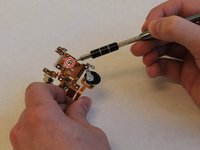
    1. Canon Vixia HF R500 Zoom Control  Replacement, Canon Vixia HF R500 Disassembly: step 5, image 1 of 2 Canon Vixia HF R500 Zoom Control  Replacement, Canon Vixia HF R500 Disassembly: step 5, image 2 of 2
      • Remove the two 8mm Philips #000 screws on the side where the grip belt was located on.

      Ask FixBot
      Add Comment

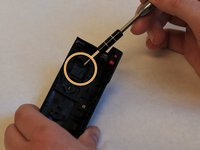
    2. Canon Vixia HF R500 Zoom Control  Replacement: step 6, image 1 of 1
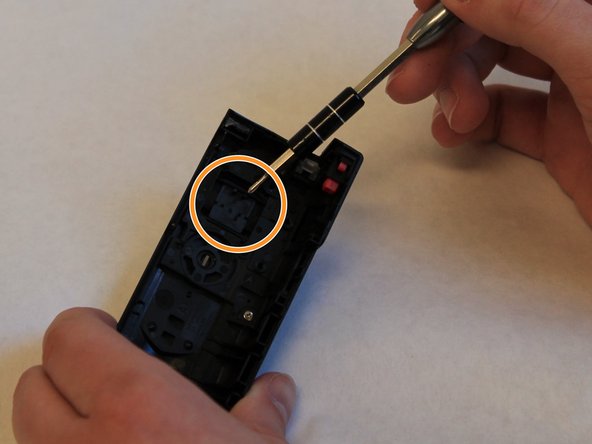
      • Remove the two 4mm Philips #000 head screws from the bottom of the camcorder.

      • A hidden 4mm Philips #000 screw is shown under the black plug shown.

      Ask FixBot
      Add Comment

    3. Canon Vixia HF R500 Zoom Control  Replacement: step 7, image 1 of 1
      • Remove the side piece plate.

      Ask FixBot

      Add Comment

    4. Canon Vixia HF R500 Zoom Control  Replacement: step 8, image 1 of 1
      • Near the LCD screen, remove the three 7mm Philips #000 screws in the picture shown.

      Ask FixBot

      Add Comment

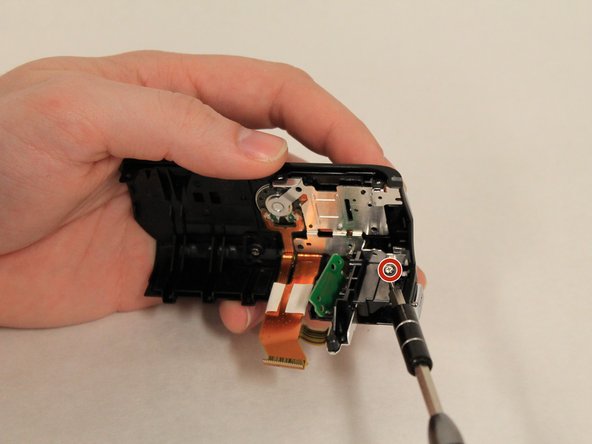
    5. Canon Vixia HF R500 Zoom Control  Replacement: step 9, image 1 of 1
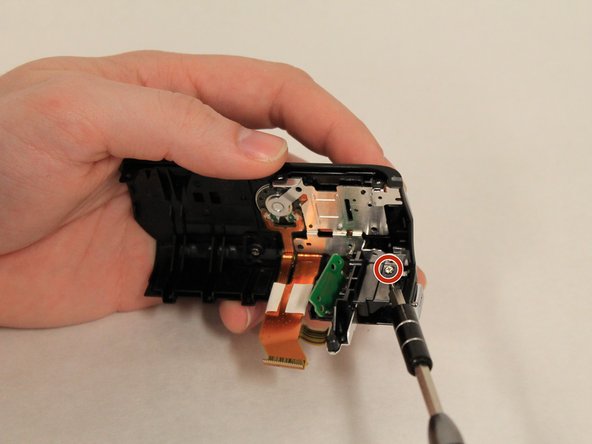
      • Carefully place the camcorder where the inside of the device is facing upwards and remove the 3mm Philips #000 screw shown.

      • Do not use strong magnetic parts on the inside, as they may damage the device.

      Ask FixBot

      Add Comment

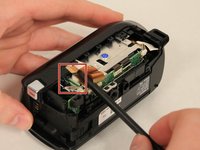
    6. Canon Vixia HF R500 Zoom Control  Replacement: step 10, image 1 of 1
      • Using the spudger, pull the tab shown to start removing the ribbon cable.

      Ask FixBot

      Add Comment

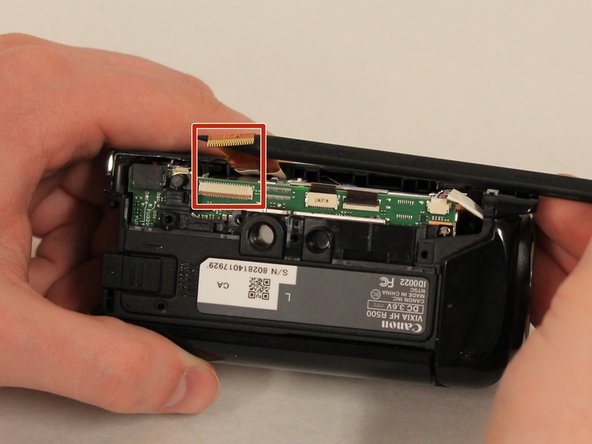
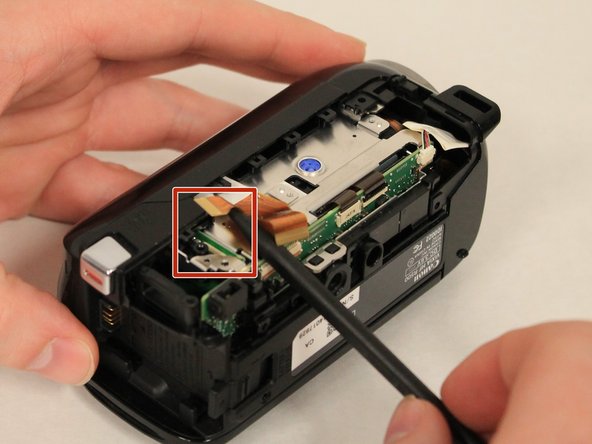
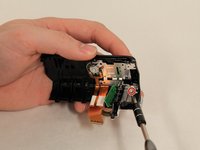
    7. Canon Vixia HF R500 Zoom Control  Replacement: step 11, image 1 of 3 Canon Vixia HF R500 Zoom Control  Replacement: step 11, image 2 of 3 Canon Vixia HF R500 Zoom Control  Replacement: step 11, image 3 of 3
      • Using the Spudger, carefully remove the two ribbon cables that are connected to the top of the device.

      Ask FixBot

      Add Comment

    8. Canon Vixia HF R500 Zoom Control  Replacement: step 12, image 1 of 1
      • Remove the top piece.

      Ask FixBot

      Add Comment

    1. Canon Vixia HF R500 Zoom Control  Replacement, Speaker: step 13, image 1 of 2 Canon Vixia HF R500 Zoom Control  Replacement, Speaker: step 13, image 2 of 2
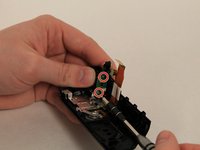
      • Remove the three 6mm Philips #000 screws holding the black record piece.

      Ask FixBot

      Add Comment

    2. Canon Vixia HF R500 Zoom Control  Replacement: step 14, image 1 of 1
      • Remove the black record piece.

      Ask FixBot

      Add Comment

    3. Canon Vixia HF R500 Zoom Control  Replacement: step 15, image 1 of 2 Canon Vixia HF R500 Zoom Control  Replacement: step 15, image 2 of 2
      • Holding the full top piece remove the six 5mm Philips #000 screws holding the metal frame to the top piece.

      Ask FixBot

      Add Comment

    4. Canon Vixia HF R500 Zoom Control  Replacement: step 16, image 1 of 1
      • Carefully remove the the whole metal frame out of the device piece.

      Ask FixBot

      Add Comment

    5. Canon Vixia HF R500 Zoom Control  Replacement: step 17, image 1 of 1
      • Replace the defective speaker with a functioning one.

      Ask FixBot

      Add Comment

    1. Canon Vixia HF R500 Zoom Control  Replacement, Zoom Control: step 18, image 1 of 2 Canon Vixia HF R500 Zoom Control  Replacement, Zoom Control: step 18, image 2 of 2
      • Examine the grey zoom input tab located on copper plate.

      • Examine the black plastic zoom slider, on the top cover of the camera

      • Repair or replace damaged components and clear all debris from mechanisms.

      Ask FixBot

      Add Comment

Conclusion

To reassemble your device, follow these instructions in reverse order.

Cancel: I did not complete this guide.

One other person completed this guide.

0 Guide Comments

Add Comment

View Statistics:

Past 24 Hours: 0

Past 7 Days: 13

Past 30 Days: 26

All Time: 550