Free Shipping on Domestic Orders $75+

Canon Powershot SD550 Shutter Button Replacement

What you need

  1. Canon Powershot SD550 Shutter Button Replacement, Outer Case: step 1, image 1 of 1
    • Remove the battery and SD card from the camera.

    Ask FixBot
    Add Comment

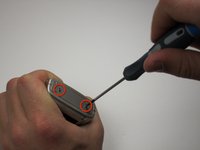
  2. Canon Powershot SD550 Shutter Button Replacement: step 2, image 1 of 1
    • Remove the three 3.8 mm screws from the underside of the camera.

    • Each of the screws is slightly different, so it is important that you note the original location of each screw.

    Ask FixBot

    Add Comment

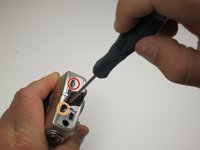
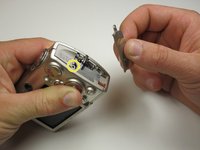
  3. Canon Powershot SD550 Shutter Button Replacement: step 3, image 1 of 3 Canon Powershot SD550 Shutter Button Replacement: step 3, image 2 of 3 Canon Powershot SD550 Shutter Button Replacement: step 3, image 3 of 3
    • Remove the 3.2 mm screw from the right side of the camera.

    • Remove the 2.2 mm screw from the right side of the camera.

    • One of these screws is hidden under the USB port cover.

    • Lift the side panel off.

    • Remove the 1.8 mm screw from underneath the side panel.

    Ask FixBot

    Add Comment

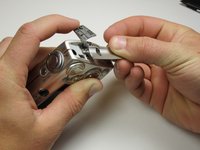
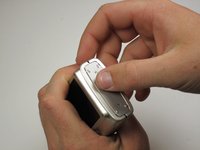
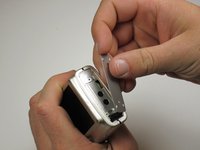
  4. Canon Powershot SD550 Shutter Button Replacement: step 4, image 1 of 3 Canon Powershot SD550 Shutter Button Replacement: step 4, image 2 of 3 Canon Powershot SD550 Shutter Button Replacement: step 4, image 3 of 3
    • Remove the two 2.2 mm screws from the left side of the camera.

    • Lift the plate from the camera.

    Ask FixBot

    Add Comment

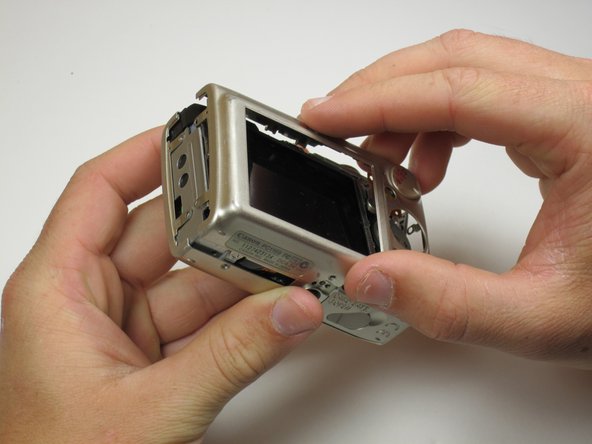
  5. Canon Powershot SD550 Shutter Button Replacement: step 5, image 1 of 3 Canon Powershot SD550 Shutter Button Replacement: step 5, image 2 of 3 Canon Powershot SD550 Shutter Button Replacement: step 5, image 3 of 3
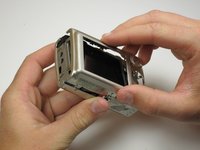
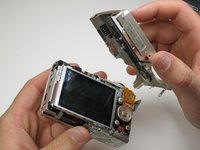
    • Gently lift the rear of the case to remove it from the camera.

    Ask FixBot

    Add Comment

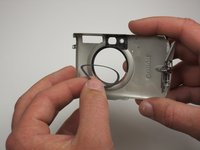
  6. Canon Powershot SD550 Shutter Button Replacement: step 6, image 1 of 3 Canon Powershot SD550 Shutter Button Replacement: step 6, image 2 of 3 Canon Powershot SD550 Shutter Button Replacement: step 6, image 3 of 3
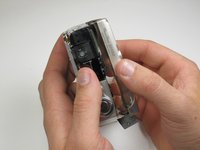
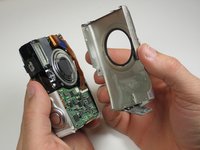
    • Remove the front of the camera body.

    • Be sure to keep track of the rubber ring.

    Ask FixBot

    Add Comment

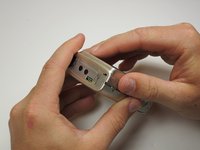
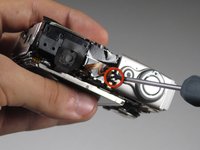
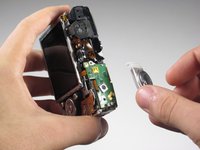
  7. Canon Powershot SD550 Shutter Button Replacement, Shutter Button: step 7, image 1 of 2 Canon Powershot SD550 Shutter Button Replacement, Shutter Button: step 7, image 2 of 2
    • Next, unscrew the .115 inch screw fastening the shutter button to the camera.

    • Now lift the button away from the camera, exposing the button board.

    • You have successfully removed the shutter button.

    Ask FixBot

    Add Comment

Conclusion

To reassemble your device, follow these instructions in reverse order.

Cancel: I did not complete this guide.

Ken Michael

Member since: 04/17/11

1 Reputation

1 Guide authored

Team

Cal Poly, Team 18-23, Garner Spring 2011 Member of Cal Poly, Team 18-23, Garner Spring 2011

CPSU-GARNER-S11S18G23

5 Members

8 Guides authored

0 Guide Comments

Add Comment

View Statistics:

Past 24 Hours: 1

Past 7 Days: 5

Past 30 Days: 16

All Time: 1,824