
Canon PowerShot SD870 IS Outer Case Replacement

Zach pelley and 13 other contributors
Last updated on Apr 26, 2016
Views: 9.1K
View statistics:
- Past 24 Hours:
- 1
- Past 7 Days:
- 21
- Past 30 Days:
- 103
- All Time:
- 9,086
Comments: 2
2 comments on steps.
Completed: 2 3
2 people have marked this guide "completed." Will you be next?
3 people have marked this guide "completed." Including you — great job!
Favorites: 1 2
1 person has favorited (and subscribed to) this guide. Will you be next?
2 people have favorited (and subscribed to) this guide — including you!
Introduction
Go to step 1 ↓How to remove the outer casing of your Canon PowerShot SD870 IS.
What you need
Tools


-
-
-
Remove the wrist strap, if present.
-
Remove the lithium-ion battery.
 Ask FixBot
-
-
-
Remove the two 4 mm Phillips #00 screws on the bottom of the camera.
-
Remove the screw next to the wrist strap attachment.
-
Pull up the “A/V OUT DIGITAL” cover and remove the screw above the USB port.
-
-
-
-
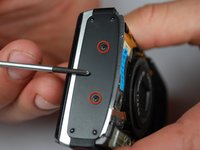
Remove the two Phillips #00 screws from the flat end of the camera.
-
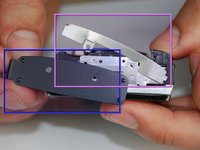
Remove the black L-shaped side cover plate.
-
Remove the silver u-shaped retainer plate.
-
-


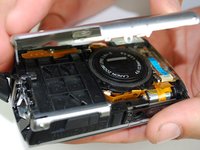
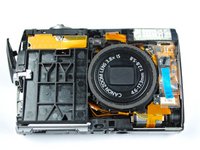



To reassemble your device, follow these instructions in reverse order.
Cancel: I did not complete this guide.
2 other people completed this guide.

Team

Cal Poly, Team 10-45, Garner Spring 2010 Member of Cal Poly, Team 10-45, Garner Spring 2010
CPSU-GARNER-S10S10G45
4 Members
72 Guides authored
