Free Shipping on Domestic Orders $75+

Canon PowerShot S230 Memory Card Replacement

  1. Canon PowerShot S230 Memory Card Replacement, Memory Card: step 1, image 1 of 3 Canon PowerShot S230 Memory Card Replacement, Memory Card: step 1, image 2 of 3 Canon PowerShot S230 Memory Card Replacement, Memory Card: step 1, image 3 of 3
    • Locate the sliding button labeled "CF open" on the back of the camera.

    • Press and slide down the button labeled "CF open". The memory card cover will pop open.

    Ask FixBot

    Add Comment

  2. Canon PowerShot S230 Memory Card Replacement: step 2, image 1 of 3 Canon PowerShot S230 Memory Card Replacement: step 2, image 2 of 3 Canon PowerShot S230 Memory Card Replacement: step 2, image 3 of 3
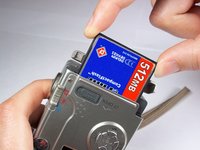
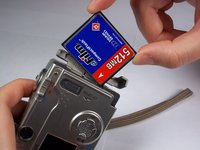
    • Push down on the black square button next to the memory card slot. This will release the memory card from the slot.

    Ask FixBot

    Add Comment

  3. Canon PowerShot S230 Memory Card Replacement: step 3, image 1 of 2 Canon PowerShot S230 Memory Card Replacement: step 3, image 2 of 2
    • Pull the memory card out of the memory card slot.

    Ask FixBot

    Add Comment

Conclusion

To reassemble your device, follow these instructions in reverse order.

Cancel: I did not complete this guide.

Alyssa Osberg

Member since: 01/10/11

242 Reputation

2 Guides authored

Team

Cal Poly, Team 13-1, Forte Winter 2011 Member of Cal Poly, Team 13-1, Forte Winter 2011

CPSU-FORTE-W11S13G1

4 Members

5 Guides authored

0 Guide Comments

Add Comment

View Statistics:

Past 24 Hours: 0

Past 7 Days: 3

Past 30 Days: 27

All Time: 1,962