Introduction
Is your camera case cracked or broken? Are there dust particles and dirt getting into your camera? You may want to consider replacing the case of your camera if the symptoms mentioned above are present.
Before starting your replacement for the canon case, make sure to be in a space that is dust-free and very open. During this replacement, there will be many small screws used.
What you need
-
-
-
On the top-center of your device, turn off the camera by pressing the power button.
-
Put your finger on the battery door and slide the battery door to the right which will then open the door.
-
Push the release button downward and it will release the battery.
 Ask FixBot
-
-
-
-
On the lower right side of the camera case, remove the single screw using Phillips #00 screwdriver.
-
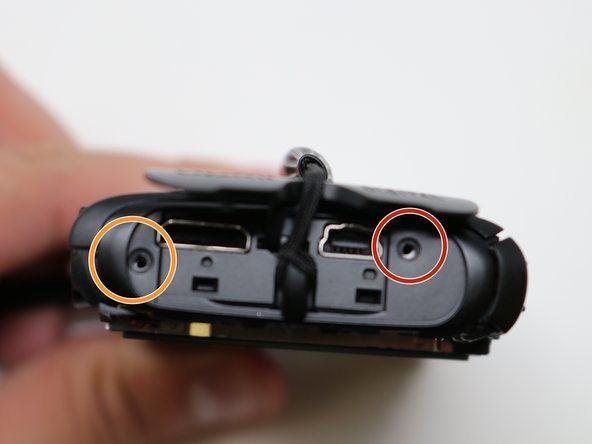
On the upper right side of the camera, remove the HDMI A/V out port.
-
Beneath the port cover, remove the screw using the same Phillips #00 screwdriver.
-
-



== ==

Team

UW Tacoma, Team S1-G3, Liner Summer 2019 Member of UW Tacoma, Team S1-G3, Liner Summer 2019
UWT-LINER-SU19S1G3
4 Members
36 Guides authored
