Free Shipping on Domestic Orders $75+

Canon PowerShot A620 Shutter Button Replacement

What you need

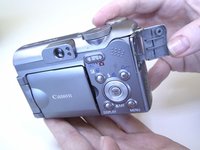
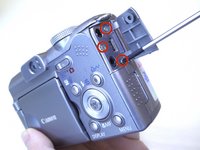
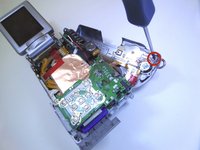
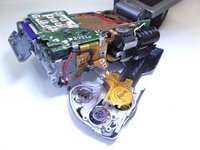
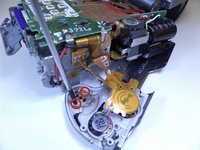
  1. Canon PowerShot A620 Shutter Button Replacement, Side Panel: step 1, image 1 of 3 Canon PowerShot A620 Shutter Button Replacement, Side Panel: step 1, image 2 of 3 Canon PowerShot A620 Shutter Button Replacement, Side Panel: step 1, image 3 of 3
    • Unscrew the three Phillips #00 1.6x3mm screws on the side.

    • Lift loose panel from the case.

    • Unscrew the two Phillips #00 1.6x3mm screws that were previously hidden beneath the panel.

    Ask FixBot

    Add Comment

  2. Canon PowerShot A620 Shutter Button Replacement, Bottom Panel: step 2, image 1 of 1
    • Unscrew the two Phillips #00 1.6x3mm screws on the bottom panel.

    Ask FixBot

    Add Comment

  3. Canon PowerShot A620 Shutter Button Replacement, Battery Compartment: step 3, image 1 of 1
    • Open the battery door.

    • Unscrew the four Phillips #00 1.6x3mm screws in the battery compartment.

    Ask FixBot

    Add Comment

  4. Canon PowerShot A620 Shutter Button Replacement, Terminal Cover: step 4, image 1 of 2 Canon PowerShot A620 Shutter Button Replacement, Terminal Cover: step 4, image 2 of 2
    • Lift the terminal cover on the side of the camera.

    • Unscrew the three Phillips #00 1.6x3mm screws beneath the terminal cover.

    Ask FixBot

    Add Comment

  5. Canon PowerShot A620 Shutter Button Replacement, Top Panel: step 5, image 1 of 1
    • Gently pull the top panel to separate it from the case.

    • Although the top panel will now be free from the rest of the case, it will still be attached to the camera by a ribbon cable.

    Ask FixBot

    Add Comment

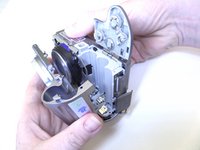
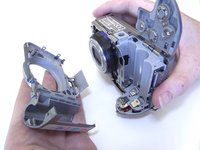
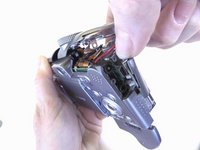
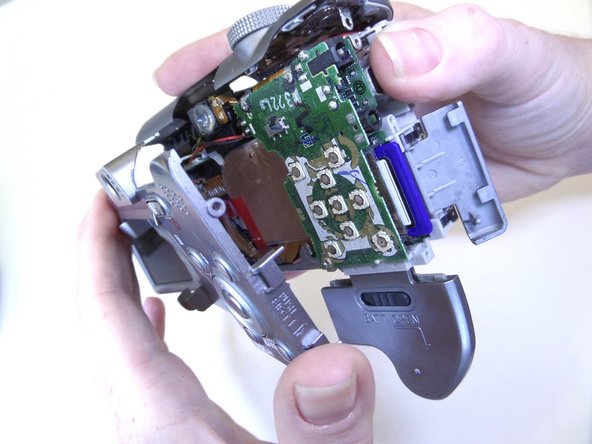
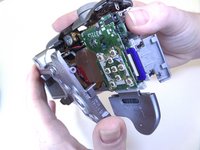
  6. Canon PowerShot A620 Shutter Button Replacement, Front Panel: step 6, image 1 of 2 Canon PowerShot A620 Shutter Button Replacement, Front Panel: step 6, image 2 of 2
    • Gently pull the front panel to separate it from the camera.

    • The battery terminals are easy to access from this step.

    Ask FixBot

    Add Comment

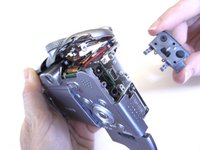
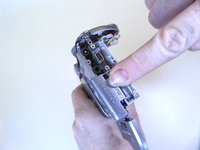
  7. Canon PowerShot A620 Shutter Button Replacement, Terminal Cover: step 7, image 1 of 2 Canon PowerShot A620 Shutter Button Replacement, Terminal Cover: step 7, image 2 of 2
    • Gently pull the terminal cover to separate it from the camera.

    Ask FixBot

    Add Comment

  8. Canon PowerShot A620 Shutter Button Replacement, Memory Card Cover: step 8, image 1 of 2 Canon PowerShot A620 Shutter Button Replacement, Memory Card Cover: step 8, image 2 of 2
    • Slide the memory card cover down.

    • Unscrew the Phillips #00 1.6x3mm screw beneath the memory card cover.

    Ask FixBot

    Add Comment

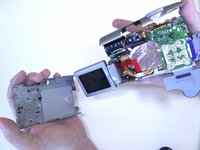
  9. Canon PowerShot A620 Shutter Button Replacement, Back Panel: step 9, image 1 of 2 Canon PowerShot A620 Shutter Button Replacement, Back Panel: step 9, image 2 of 2
    • Gently pull the back panel to separate it from the camera.

    Ask FixBot

    Add Comment

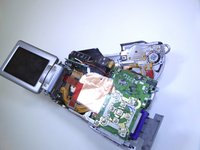
  10. Canon PowerShot A620 Shutter Button Replacement, Metal Plate Screws: step 10, image 1 of 2 Canon PowerShot A620 Shutter Button Replacement, Metal Plate Screws: step 10, image 2 of 2
    • Unscrew the Phillips #00 1.6x3mm screw located on the top panel.

    Ask FixBot

    Add Comment

  11. Canon PowerShot A620 Shutter Button Replacement, Metal Plate: step 11, image 1 of 1
    • Gently lift the metal plate and move it to the side.

    Ask FixBot

    Add Comment

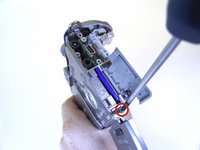
  12. Canon PowerShot A620 Shutter Button Replacement, Trigger Button Screws: step 12, image 1 of 2 Canon PowerShot A620 Shutter Button Replacement, Trigger Button Screws: step 12, image 2 of 2
    • Unscrew the two Phillips #00 1.6x3mm screws that hold in the trigger button.

    Ask FixBot

    Add Comment

  13. Canon PowerShot A620 Shutter Button Replacement, Trigger Button: step 13, image 1 of 1
    • The trigger button will fall off once the screws have been removed.

    Ask FixBot

    Add Comment

Conclusion

To reassemble your device, follow these instructions in reverse order.

Cancel: I did not complete this guide.

One other person completed this guide.

Jaime Abraham

Member since: 09/08/14

350 Reputation

3 Guides authored

Team

CSU Fullerton, Team 1-1, Bruce Fall 2014 Member of CSU Fullerton, Team 1-1, Bruce Fall 2014

CSUF-BRUCE-F14S1G1

3 Members

6 Guides authored

0 Guide Comments

Add Comment

View Statistics:

Past 24 Hours: 1

Past 7 Days: 6

Past 30 Days: 36

All Time: 1,933