
Canon PowerShot A460 LCD Screen Replacement

Last updated on Jan 8, 2024
Views: 2.4K
View statistics:
- Past 24 Hours:
- 3
- Past 7 Days:
- 15
- Past 30 Days:
- 91
- All Time:
- 2,388
Comments: 4
2 comments on steps, 2 guide comments.
Go to guide commentsCompleted: 3 4
3 people have marked this guide "completed." Will you be next?
4 people have marked this guide "completed." Including you — great job!
Favorites: 0 1
No one has favorited (and subscribed to) this guide. Will you be the first?
1 person has favorited (and subscribed to) this guide — and that's you!
Needs More Images
A few more images would make this guide's procedures crystal clear.
Action Shots
Be an action hero! This guide needs images that better demonstrate how to perform specific actions.
Better Introduction
Improve this guide by completing or revising its introduction.
Introduction
Go to step 1 ↓Involving removal of the camera casing as well, this guide will help the user remove the LCD screen to repair or replace it.
What you need
Tools
-
Spudger4.9


-
-
-
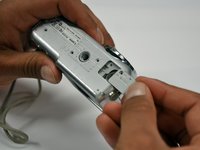
Slide the switch on the battery cover labeled "CARD/BATT. OPEN." to the right.
-
While still holding the switch, pull the cover down, allowing it to release and open.
 Ask FixBot
-
-
-
-
-
Unscrew the 5mm Phillips #00 screw from the bottom of the camera.
-
-
-
Unscrew the three 2mm Phillips #00 screws that are located on the bottom of the camera.
-
-
-
Remove the 4mm Phillips #00 screw that is located on the left side of the camera, if the display screen is facing you.
-
-
-
Take out the 4mm Phillips #00 screw under the rubber flap on the right end of the camera.
-
-
-
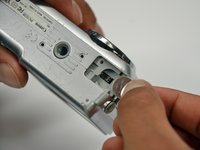
Remove the second battery cover on the bottom of camera.
-
Take the silver battery out of the camera.
-
-
-
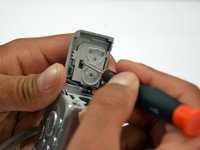
Remove the 4mm Phillips #00 screw on the inside of the flap that hides the battery and memory card slots.
-
Remove the light grey, plastic piece.
-
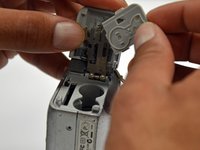
Remove the plastic portion of the battery flap cover. The metal piece will remain attached.
-
-
-
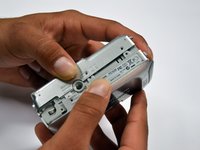
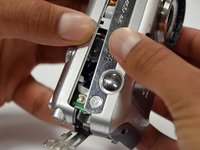
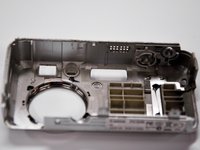
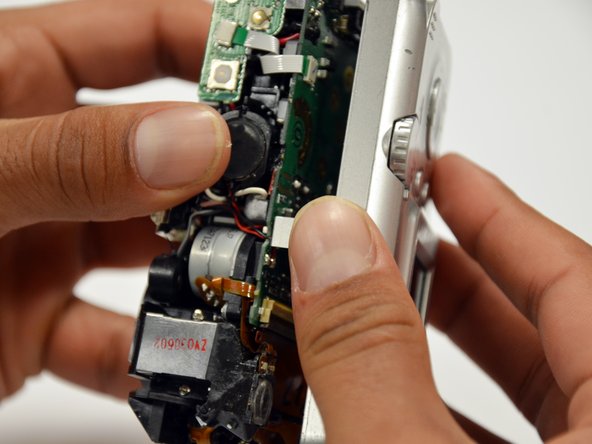
Slightly pull on each side of the camera. It should loosen up and come apart.
-
If it does not pull apart right away, use a little more force.
-
Do not give up!
-
-
-
-
-
-
-
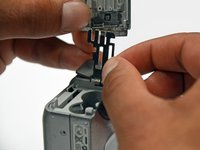
Gently lift the LCD screen off of the front casing by pulling up a tab on the side of the camera.
-
-
-
Since the tabs have been lifted, the ribbon should now slide out out easily.
-








To reassemble your device, follow these instructions in reverse order.
Cancel: I did not complete this guide.
3 other people completed this guide.

Team

Cal Poly, Team 19-42, Regan Winter 2013 Member of Cal Poly, Team 19-42, Regan Winter 2013
CPSU-REGAN-W13S19G42
4 Members
72 Guides authored
2 Guide Comments
Explained in detail, very clear, easy to understand. I just unpacked it for the first time. Still able to do as told. Thank you.
