Free Shipping on Domestic Orders $75+

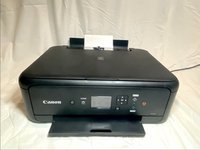
Canon Pixma TS5150 Ink Replacement

  1. Canon Pixma TS5150 Ink Replacement, Lift the panel: step 1, image 1 of 2 Canon Pixma TS5150 Ink Replacement, Lift the panel: step 1, image 2 of 2
    • Lift the panel up

  2. Canon Pixma TS5150 Ink Replacement, Power on: step 2, image 1 of 1
    • Power on the printer

    • Lift the top of the printer

    • Open the cover by pressing the tabs

    • Press and then lift the ink

    • C is for Color Ink and B is for Black Ink

  3. Canon Pixma TS5150 Ink Replacement, Close the top: step 5, image 1 of 2 Canon Pixma TS5150 Ink Replacement, Close the top: step 5, image 2 of 2
    • Close the top lid

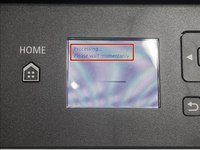
    • Wait for the printer to finish setting up the ink

Conclusion

To reassemble your device, follow these instructions in reverse order.

2 other people completed this guide.

Artem Ivat

Member since: 02/05/20

3,831 Reputation

13 Guides authored

Team

Kid fixers Member of Kid fixers

Community

214 Members

308 Guides authored

1 Guide Comment

L'explication pour changer les cartouches d'encre est bien faite, compréhensible.

Merci.

Maintenant,il me reste à trouver des nouvelles 'cartouches'...

Azur Méditerranée - Reply Share

Add Comment

View Statistics:

Past 24 Hours: 11

Past 7 Days: 109

Past 30 Days: 450

All Time: 13,673