Free Shipping on Domestic Orders $75+

Canon PIXMA iP3600 Printhead Replacement

    1. Canon PIXMA iP3600 Printhead Replacement, Ink Cartridges: step 1, image 1 of 1
      • Press the power button to turn on the printer.

      Ask FixBot

      Add Comment

    2. Canon PIXMA iP3600 Printhead Replacement: step 2, image 1 of 1
      • Pull down the front output tray cover.

      Ask FixBot

      Add Comment

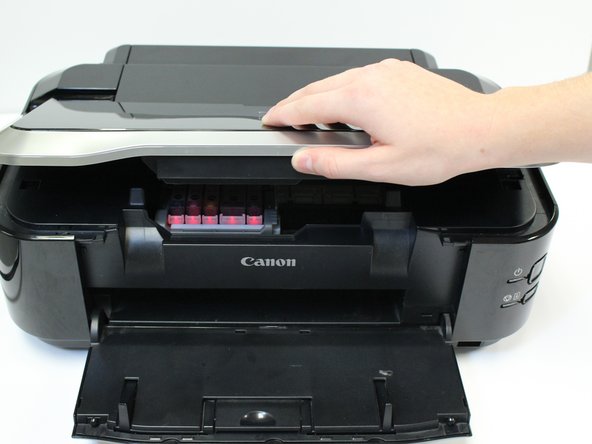
    3. Canon PIXMA iP3600 Printhead Replacement: step 3, image 1 of 1
      • Lift the printer lid.

      Ask FixBot

      Add Comment

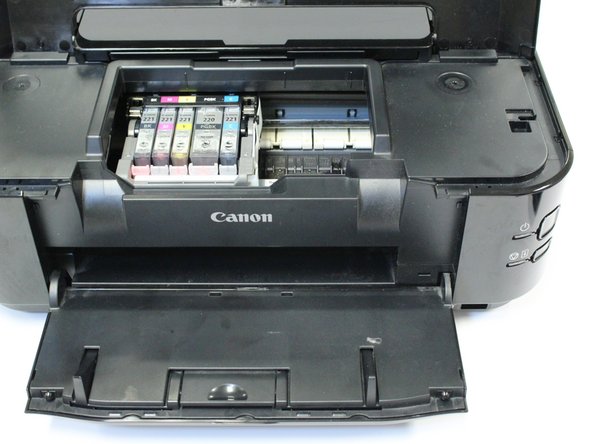
    4. Canon PIXMA iP3600 Printhead Replacement: step 4, image 1 of 1
      • Allow the belt, containing ink cartridges, to adjust and center so that the ink cartridges are visible.

      Ask FixBot

      Add Comment

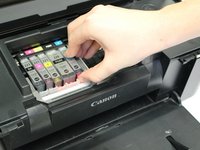
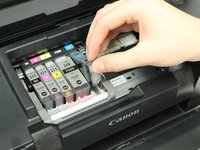
    5. Canon PIXMA iP3600 Printhead Replacement: step 5, image 1 of 2 Canon PIXMA iP3600 Printhead Replacement: step 5, image 2 of 2
      • Push in the white clip to release the ink cartridge from the printhead.

      • Lift the ink cartridge from the printhead.

      • Repeat this process for the remaining ink cartridges.

      • You have successfully removed all ink cartridges.

      Ask FixBot

      Add Comment

    1. Canon PIXMA iP3600 Printhead Replacement, Printhead: step 6, image 1 of 1
      • After removing all ink cartridges, lift the printhead lock lever.

      Ask FixBot

      Add Comment

    2. Canon PIXMA iP3600 Printhead Replacement: step 7, image 1 of 1
      • Pull up and lift out the black piece that previously held the ink cartridges. This is the printhead.

      Ask FixBot

      Add Comment

    3. Canon PIXMA iP3600 Printhead Replacement: step 8, image 1 of 1
      • You have successfully removed your printhead.

      Ask FixBot

      Add Comment

Conclusion

To reassemble your device, follow these instructions in reverse order.

Cancel: I did not complete this guide.

6 other people completed this guide.

Caitlyn

Member since: 10/07/14

1,223 Reputation

4 Guides authored

Team

USF Tampa, Team 1-3, Leahy Fall 2014 Member of USF Tampa, Team 1-3, Leahy Fall 2014

USFT-LEAHY-F14S1G3

3 Members

48 Guides authored

1 Guide Comment

fairly helpful, especially the photo's. but I need advice on how to clean the printhead before trying to replace it,

a1halber - Reply Share

Add Comment

View Statistics:

Past 24 Hours: 2

Past 7 Days: 12

Past 30 Days: 70

All Time: 9,578