
Canon EOS Rebel XS Grip Replacement

Daniel Bussone and 7 other contributors
Last updated on Oct 22, 2024
Views: 4.3K
View statistics:
- Past 24 Hours:
- 3
- Past 7 Days:
- 22
- Past 30 Days:
- 93
- All Time:
- 4,257
Comments: 1
1 guide comment.
Go to guide commentsCompleted: 1 2
1 person has marked this guide "completed." Will you be next?
2 people have marked this guide "completed." Including you — great job!
Favorites: 0 1
No one has favorited (and subscribed to) this guide. Will you be the first?
1 person has favorited (and subscribed to) this guide — and that's you!
Community-Contributed Guide
An awesome member of our community made this guide. It was not created by iFixit staff.
Introduction
Go to step 1 ↓Use this guide to replace the grip of the camera.
What you need
Tools
-
Spudger4.9


-
-
-
Remove the two 3mm (1/8") black screws from the side cover using a #00 Phillips screwdriver.
 Ask FixBot
-
-
-
On the bottom, remove the 6mm (13/64") screw with the #00 Phillips Screwdriver.
-
Pry up the panel; starting from the front/bottom corner, as indicated.
-
There's a concealed lip, under the opposite edge.
-
-
-
-
-
Remove three medium length screws from the bottom of the camera
-
-
-
-
Remove the two medium length screws on the front panel of the camera above the lens mount.
-
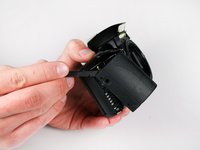
Once you done, you may use the Spudger to panel from non-grip side.
-
-
-
-
-
Remove the two 4.5mm (.18in) long black screws from the camera grip using a #00 Phillips screwdriver.
-
-
-
Remove the two 5mm (.20in) long silver screws securing the grip to the camera using a #00 Phillips screwdriver.
-
-


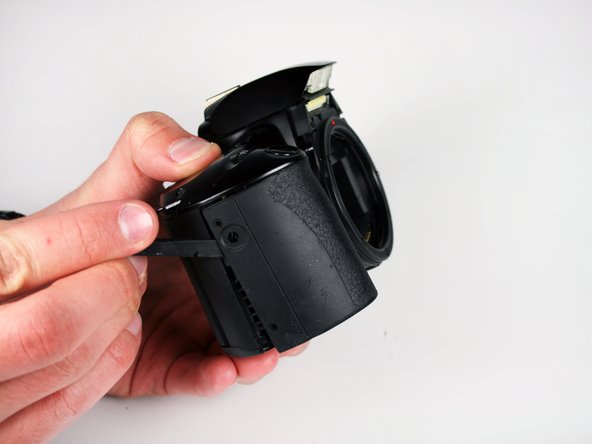
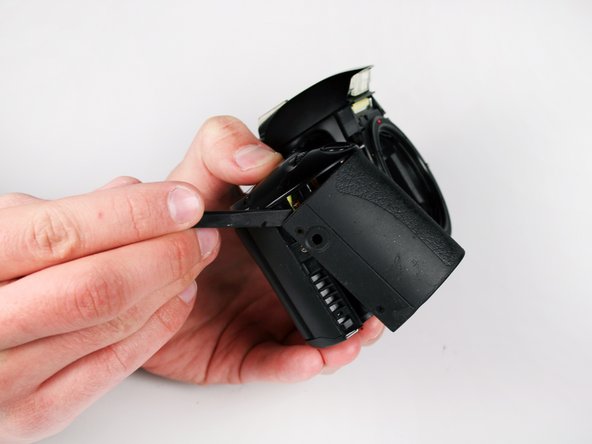

To reassemble your device, follow these instructions in reverse order.
Cancel: I did not complete this guide.
One other person completed this guide.

Team

Cal Poly, Team 3-41, Regan Winter 2011 Member of Cal Poly, Team 3-41, Regan Winter 2011
CPSU-REGAN-W11S3G41
2 Members
132 Guides authored
1 Guide Comment
Little confused. Some pics are from a analog Canon, other from a digital Canon...
