Introduction
This guide explains how to replace the battery in a Canon EOS Rebel T2i. This repair may be needed if the battery is dead, will not hold a charge, or needs to be replaced with a working one.
Before beginning, make sure the camera is turned off and placed on a clean, dry surface. Use care when handling the battery, and make sure the replacement battery is compatible with the camera. This guide does not require disassembling the device.
What you need
-
-
-
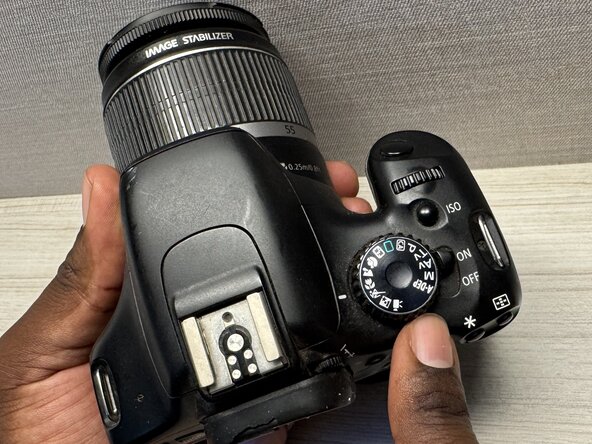
Turn the camera off and place it upside down on a flat surface so the battery compartment on the bottom is easy to access.
 Ask FixBot
-
-
-
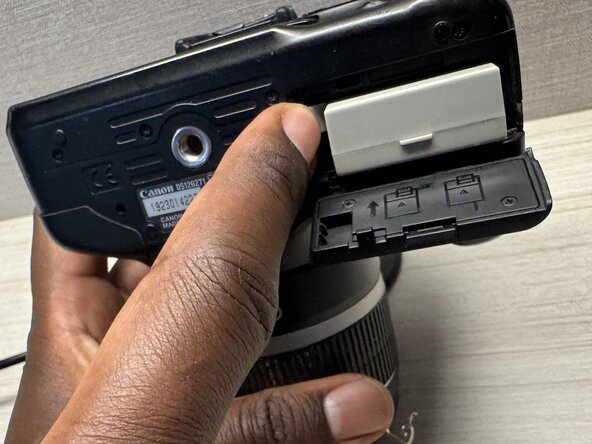
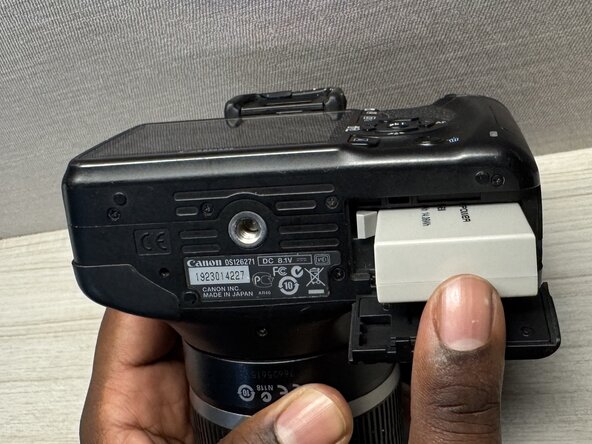
Slide the battery compartment latch in the direction of the arrow.
-
Lift the compartment door open.
-
-
-
-
Press the battery release lever to eject the battery.
-
Let the battery pop out slightly.
-
-
-
Align the new battery with the contacts, then slide the LP-E8 battery into the compartment so it locks in place.
-
-








To reassemble your device, follow these instructions in reverse order. Take your e-waste to an R2 or e-Stewards certified recycler.
Attached Documents

Team

Austin Community College, Team A-5, Serna Spring 2026 Member of Austin Community College, Team A-5, Serna Spring 2026
AUSTINCC-SERNA-S26SAG5
1 Member
12 Guides authored
